
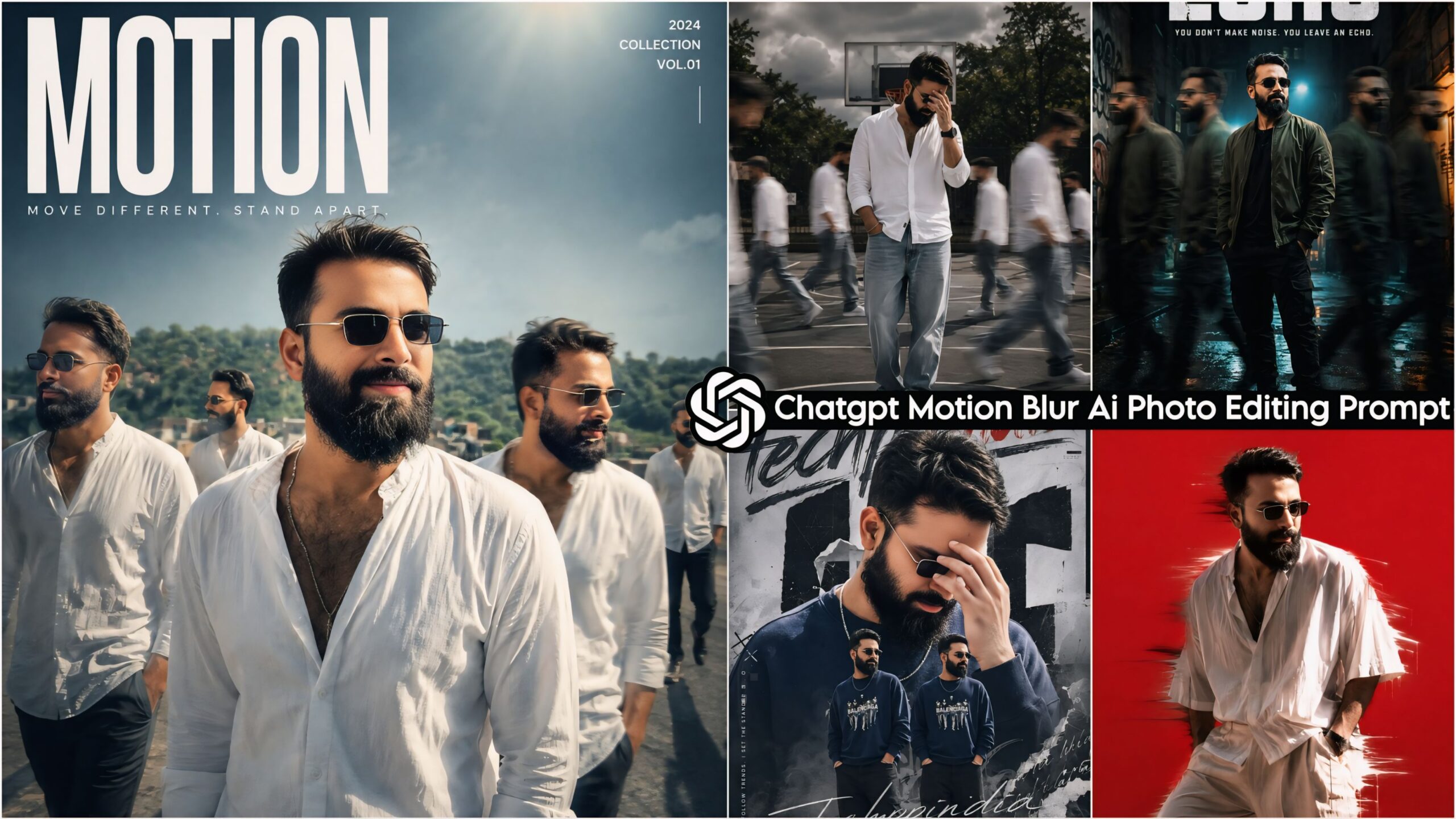
ChatGPT Motion Blur AI Photo Editing Prompt: Friends, in this article, I am sharing a trending style that is currently going viral on Instagram—people are creating photos in this style and gaining massive popularity. Consequently, I have created these specific AI prompts featuring the “Motion” effect just for you; they are truly distinct and unique. I highly encourage you to give them a try! I make it a point to be the first to post any trending templates, AI prompts, or editing-related content on my website. Therefore, please be sure to follow our site so that you can stay updated with all the latest trending AI prompts and editing tips.
Nowadays, everyone is utilizing AI to give their photos a stunning look—something you, too, can create yourself right on your phone by using prompts like these. In fact, with the help of prompts, people are now creating not just photos, but even videos.
Trending Ai Photo Editing Prompts
About the ChatGPT Motion Blur AI Photo Editing Prompts
This collection features a total of 10 top-tier AI prompts suitable for both men and women; you can simply apply these prompts to any photograph. The prompts provided here are specifically designed to function within ChatGPT, ensuring that the resulting images are absolutely flawless. For each subject or model in your photo, the AI will generate four distinct variations, each featuring a unique pose with a dynamic motion blur effect visible just behind them. Furthermore, every prompt ensures that your final image is rendered with cinematic lighting and ultra-HD quality. We highly recommend that you give this a try!
Chatgpt Motion Blur Ai Photo Editing Prompt – Viral Ai Photo Editing
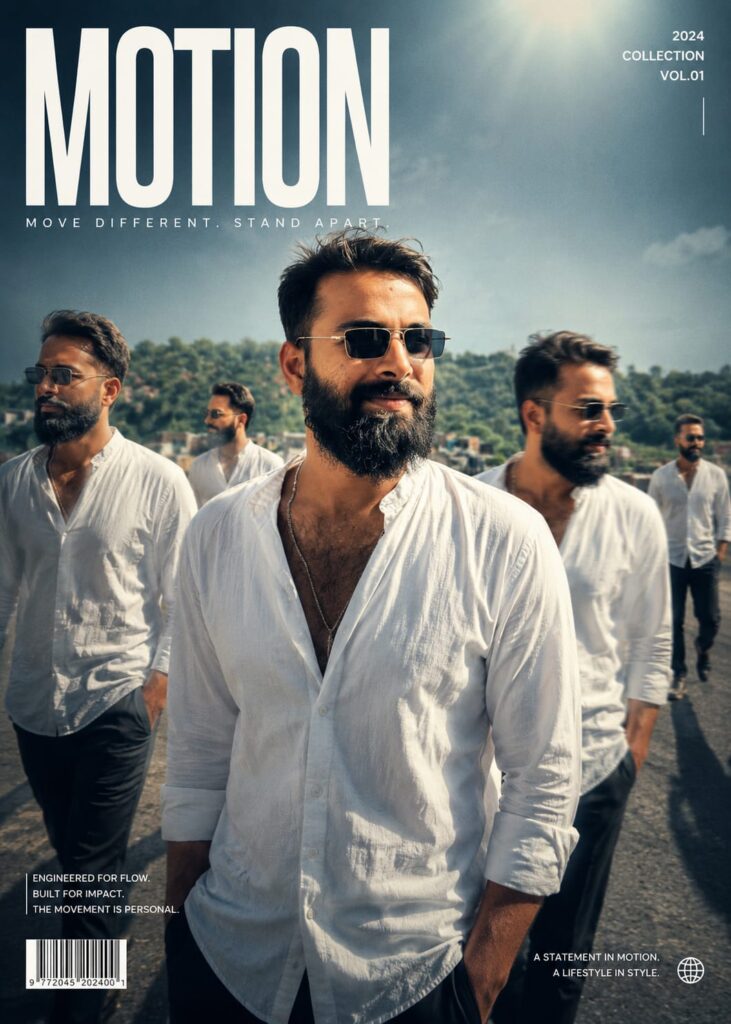
Transform my photo into a high-end cinematic streetwear editorial poster. Keep my face, body, pose, outfit, and original background recognizable, but enhance everything into a luxury fashion campaign aesthetic. Add 4 realistic duplicate versions of me across the frame placed naturally like motion-captured walk sequences. Keep the main/front version largest, sharpest, and most detailed, while side clones are slightly faded or motion blurred. Use dramatic overhead lighting with a subtle glow, deep shadows, long floor shadows, cool-toned cinematic color grading, strong contrast, glossy highlights, and soft film grain. Make the outfit textures crisp and premium. Add bold oversized magazine-style typography in the top corner with one powerful word related to movement or style
(example:
MOTION, STATIC, RUSH, ECHO). Include smaller minimal text such as collection year, slogan, barcode, or campaign details. Don't change face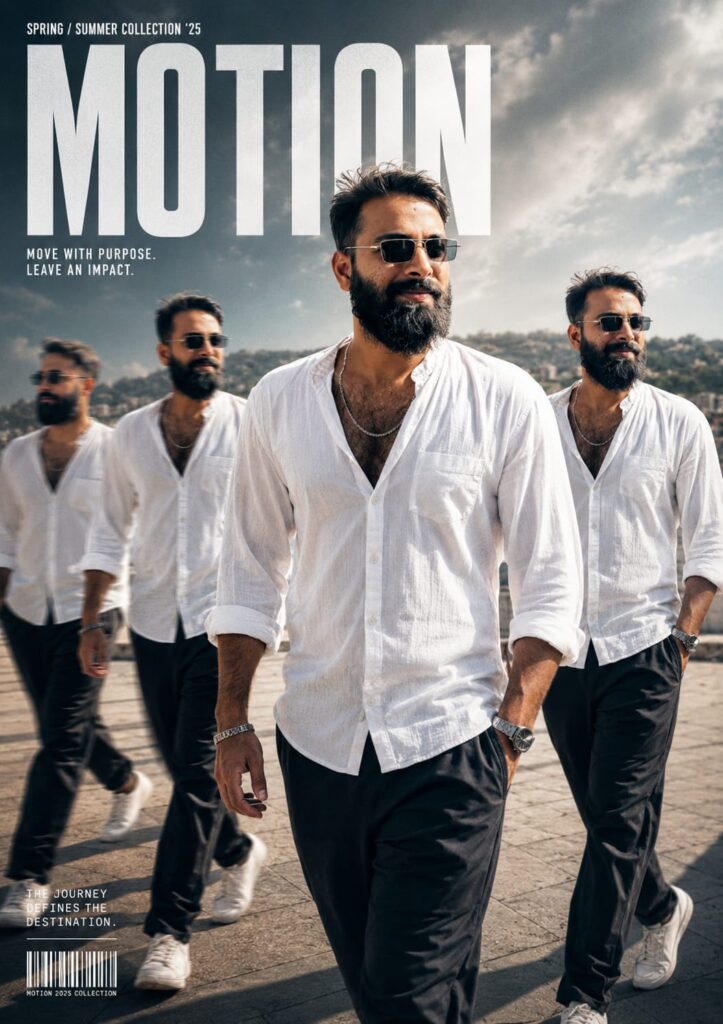
cinematic streetwear editorial poster. Keep my face, body, pose, outfit, and original background recognizable, but enhance everything into a luxury fashion campaign aesthetic. Add 4 realistic duplicate versions of me across the frame placed naturally like motion-captured walk sequences. Keep the main/front version largest, sharpest, and most detailed, while side clones are slightly faded or motion blurred. Use dramatic overhead lighting with a subtle glow, deep shadows, long floor shadows, cool-toned cinematic color grading, strong contrast, glossy highlights, and soft film grain. Make the outfit textures crisp and premium. Add bold oversized magazine-style typography in the top corner with one powerful word related to movement or style (example: MOTION, STATIC, RUSH, ECHO). Include smaller minimal text such as collection year, slogan, barcode, or campaign details. Don't change face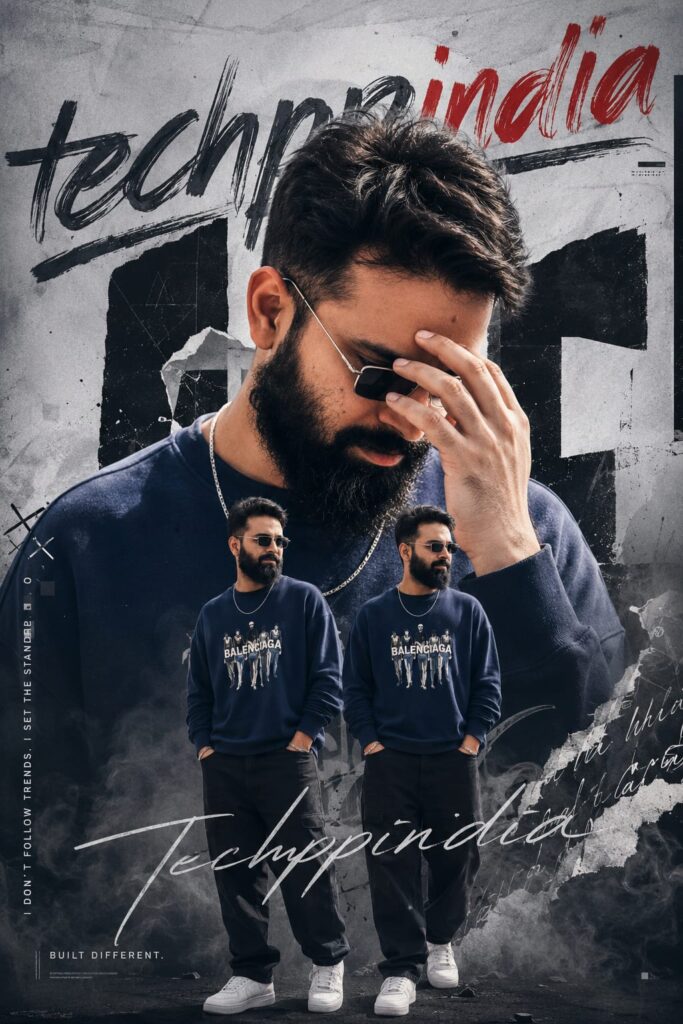
Generate the same exact face 16k Ultra-realistic image. A stylish urban poster of a young man named techppindia. The design features a large close-up portrait of him with a messy styled hair, looking down while adjusting his sunglasses. Below, there are two full-body versions of him standing in a casual pose, navy blue sweatshirt with graphic, black straight fit pants, whitesneakers, a chain necklace. The background is artistic, abstract, with torn paper effects, graffiti-style text: smoky textures. Don't change face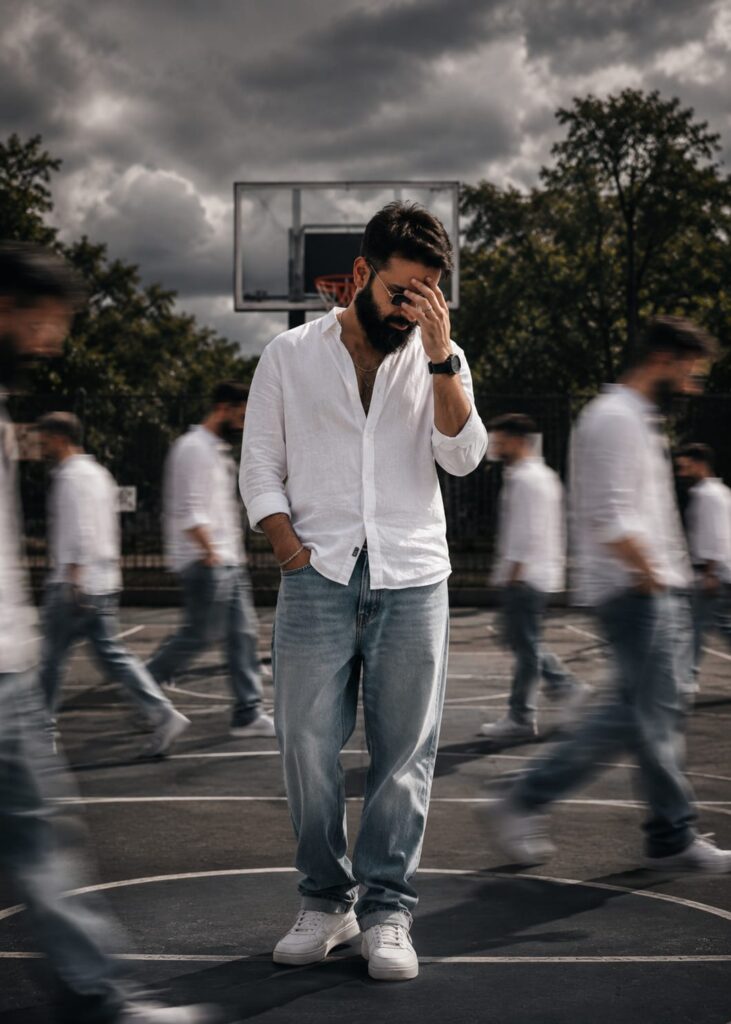
A cinematic streetwear photoshoot of a teenage boy standing on an outdoor basketball court, don't change out fit, face,, head slightly down covering face with hand, natural pose, multiple motion clones of the same person walking around him creating a motion blur effect, dramatic lighting, dark moody sky, high contrast, sharp focus on main subject, depth of field, fashion editorial style, urban environment, trees in background, realistic shadows, 4k ultra realistic, nike style campaign, poster design. Don't change face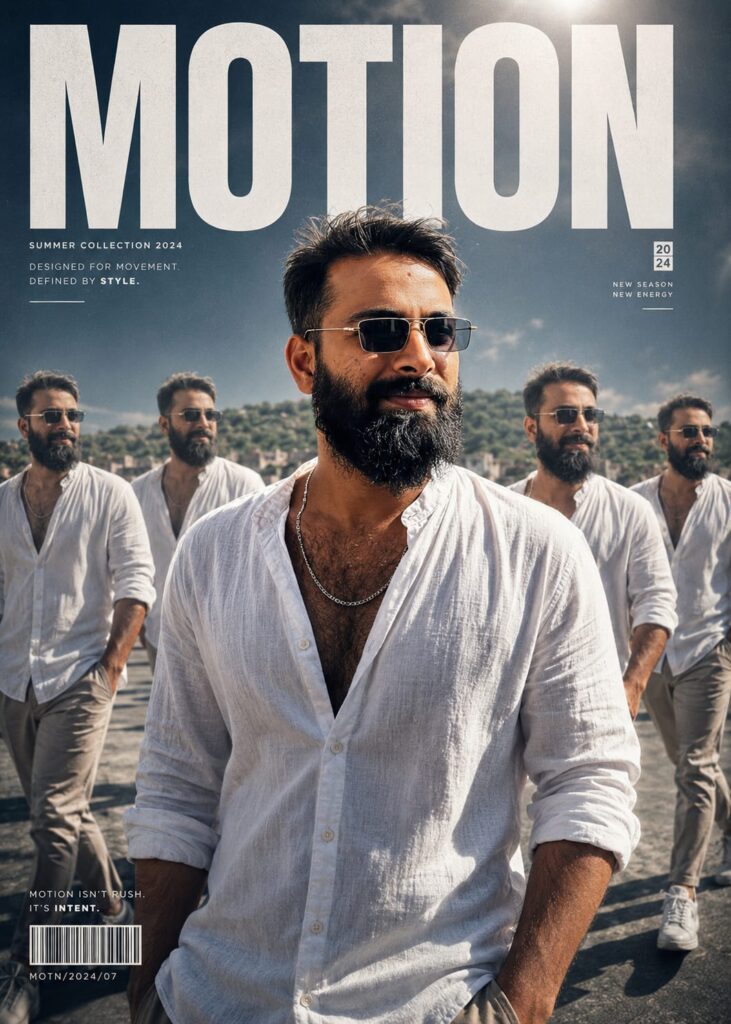
Transform my photo into a high-end cinematic streetwear editorial poster. Keep my face, body, pose, outfit, and original background recognizable, but enhance everything into a luxury fashion campaign aesthetic. Add 4 realistic duplicate versions of me across the frame placed naturally like motion-captured walk sequences. Keep the main/front version largest, sharpest, and most detailed, while side clones are slightly faded or motion blurred. Use dramatic overhead lighting with a subtle glow, deep shadows, long floor shadows, cool-toned cinematic color grading, strong contrast, glossy highlights, and soft film grain. Make the outfit textures crisp and premium.

Add bold oversized magazine-style typography in the top corner with one powerful word related to movement or style (example: MOTION, STATIC, RUSH, ECHO). Include smaller minimal text such as collection year, slogan, barcode, or campaign details. Don't change face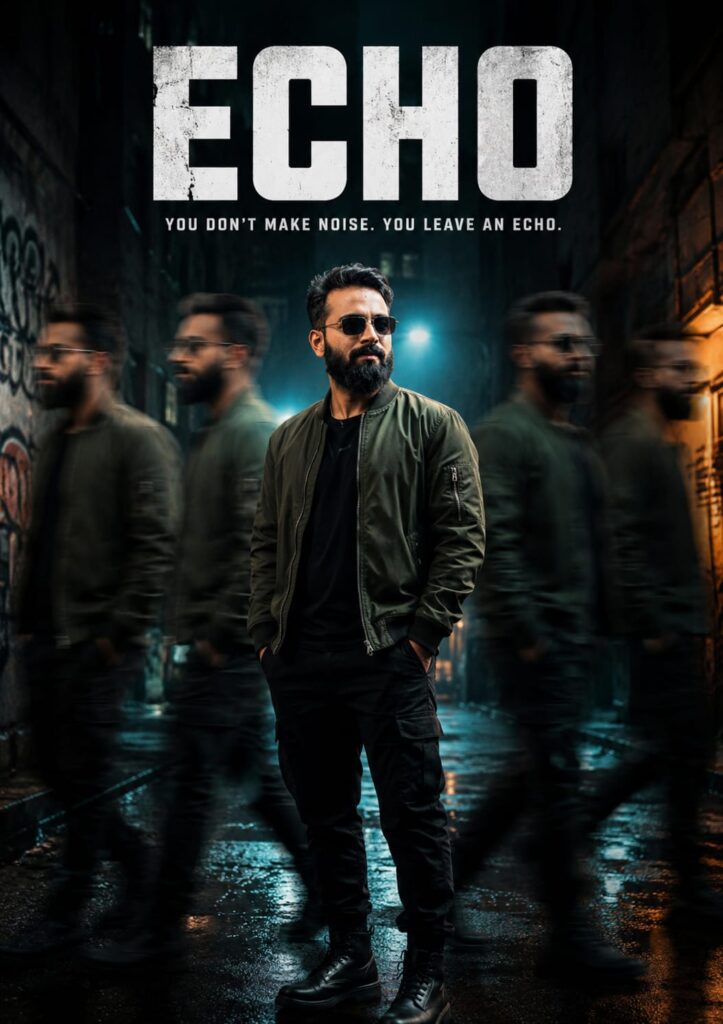
Cinematic streetwear fashion portrait of a young Indian man standing in a dark urban alley with wet reflective ground, wearing a dark green bomber jacket over black outfit and black boots.

The subject stands still in the center with a confident relaxed pose, hands in pockets.

Multiple motion-blurred clones of him walking past on both sides, creating a ghosting echo effect.

Background features gritty concrete walls, moody teal and orange lighting, rain reflections, atmospheric fog.

Dramatic rim lighting and shadows, high contrast cinematic grading.

Large bold textured typography "ECHO" at the top, with tagline "YOU DON'T MAKE NOISE. YOU LEAVE AN ECHO."

Premium fashion campaign, editorial composition, 85mm lens, ultra-realistic 8K. Don't change face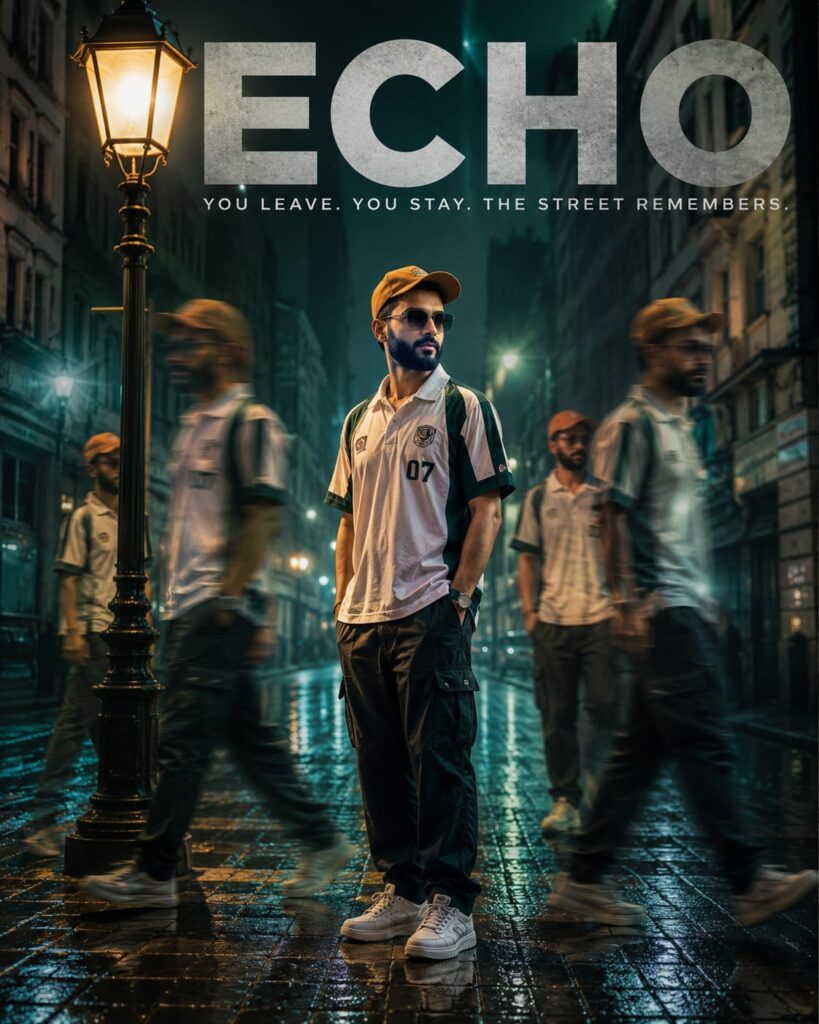
Ultra-realistic cinematic night street portrait of a young Indian man standing under a vintage street lamp on a wet cobblestone road, wearing a white and green sports polo shirt, black cargo pants, white sneakers, and a brown cap.

Warm light from the lamp illuminating the subject, contrasting with cool teal tones in the background.

Multiple motion-blurred clones of the same person walking around him, creating a time echo effect.

Rain reflections on the ground, soft fog, glowing street lights, old European-style street architecture.

Moody cinematic lighting, shallow depth of field, 85mm lens.

Large bold typography "ECHO" at the top, with

tagline:

"YOU LEAVE. YOU STAY. THE STREET REMEMBERS."

Luxury streetwear campaign aesthetic, ultra-realistic, 8K resolution. Don't change face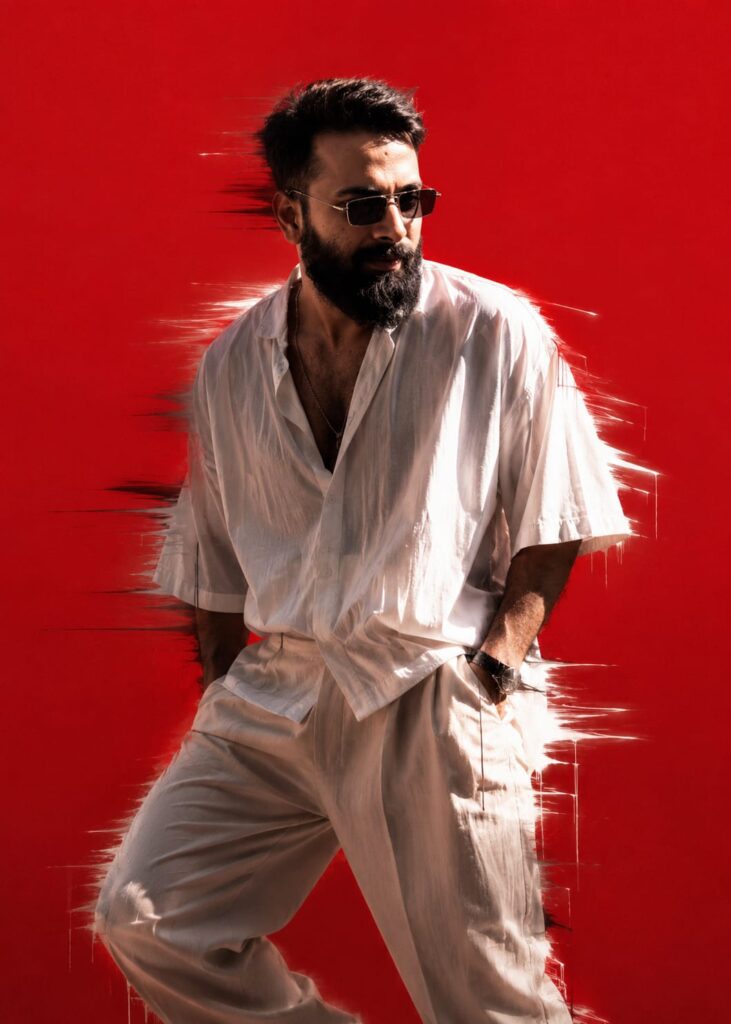
A stylish young man standing in a dynamic pose, looking down, wearing oversized shirt and loose pants, minimal aesthetic fashion, solid bright red background, dramatic lighting, motion blur dripping effect around the body, glitch smear effect, soft shadows, high contrast, cinematic look, ultra realistic, 4K, sharp details, editorial fashion photography style. Don't change face
How to Use the ChatGPT Motion Blur AI Photo Editing Prompt
Let me explain how to use this tool. First, you will need an AI application called ChatGPT. These prompts have been specifically designed for use with ChatGPT; you can download the app from the Play Store, or if you prefer, you can access and use it directly via the Chrome browser. Once you have the app, log in using your Gmail account. Next, click on the ‘+’ icon to upload a photo of yourself (specifically one showing your face). Then, select and copy the prompt you like best from the available options, and paste it into ChatGPT. In just a few moments, your edited photo will be ready!
Conclusion: Motion Blur AI Prompt
In this guide, I have covered everything you need to know regarding Google Gemini Portfolio-style AI photo editing. I have also provided details on the specific AI prompts required for this process and have explained, step-by-step, exactly how to use them. If you have any further questions or wish to learn anything else beyond this, please feel free to ask in the comments section; I will be more than happy to assist you. Additionally, if you are looking for any other specific AI prompts, please let us know.