
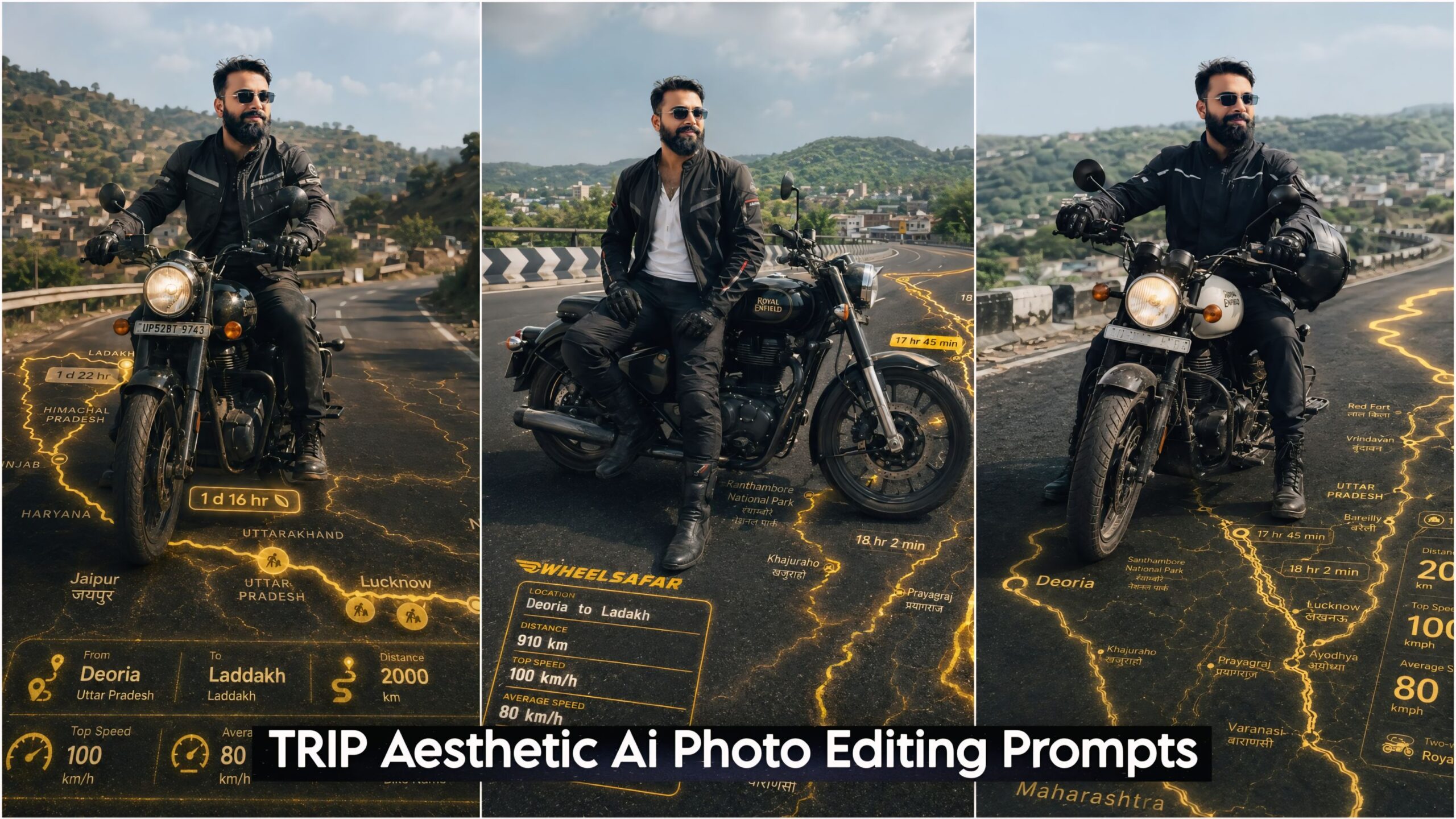
Bike & Car TRIP Aesthetic Ai Photo Editing Prompts: Friends, these specific AI prompts are currently going viral across Instagram and Facebook, with everyone jumping on the trend. With this in mind, we have curated these AI prompts specifically for you, enabling you to transform your own photos into stunning “trip-style” visuals. You can now take your ordinary photos—or any images from your travels—and render them in a distinct 3D style that looks incredibly spectacular and unique. As an added touch, the AI even generates 3D maps directly onto the road within the image, making the final result look even cooler. So, be sure to learn how to use this tool yourself!
For this, you will need two things: your photograph and a screenshot of a map with a pre-added location. Combine these two items, then copy the appropriate prompt from the options provided below; simply paste it into your ChatGPT interface, and the result will be ready.
Trending Ai Photo Editng Prompts
About Bike & Car TRIP Aesthetic AI Photo Editing Prompts for ChatGPT
In this collection, we present various poses and settings—specifically featuring an on-road bike ride with a Royal Enfield Bullet. You are depicted in full riding gear—including a sports suit, gloves, and a helmet—atop the bike. The ground beneath features a golden-hued graphic overlay where you can input your speed, trip destination, total distance covered, and average driving speed. Simply fill in these details, and your personalized photo will be generated, ready to be shared on Instagram, Facebook, or any other social media platform.
We have utilized a cinematic lighting style with slightly darker tones, giving the final image a very cool and stylish aesthetic. Furthermore, rest assured that with these prompts, your face will be matched with 100% accuracy.
Bike & Car TRIP Aesthetic Ai Photo Editing Prompts ChatGPT
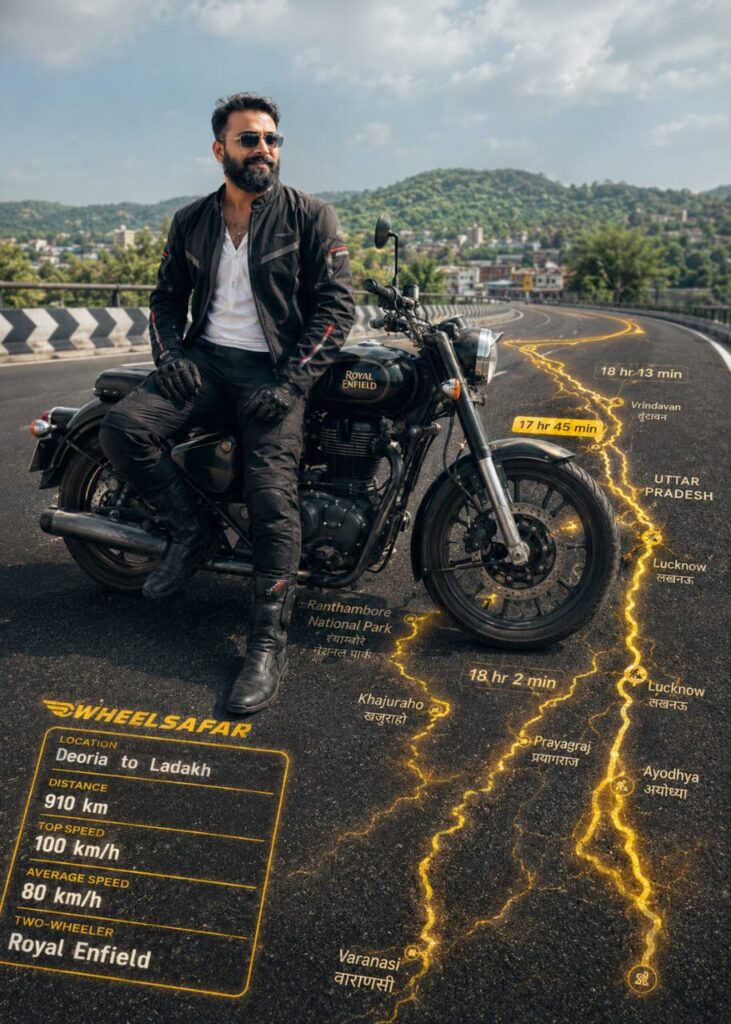
The provided images may only be used to depict a single individual. The boy is wearing sports riding attire and is seated sideways on a bike. The riding jacket, height, boots, stature, body proportions, and posture are depicted exactly. The biker may not be embellished, stylized, designed, or reduced in any way.

Combine the biker photo with the provided Wheelsafar ride stats screenshot into a single cinematic composition.

Read all visible ride data directly from the Wheelsafar screenshot and reproduce the values EXACTLY as shown. Do not modify, reinterpret, approximate, or redesign any numbers, labels, route shapes, icons, or branding elements.

The real Wheelsafar stats Ul with the EXACT numbers and formatting from the screenshot must appear clearly embedded onto the 3D ground beneath the biker, naturally integrated into the asphalt perspective.

The stats should feel physically painted, illuminated, or projected onto the road surface with realistic depth, reflections, texture interaction, and environmental lighting. Do NOT make the UI float in the air.

Extract the Wheelsafar route map from the screenshot and project it onto the

ground in realistic 3D perspective:

Location: [ Deoria] to [ Ladakh LOCATION)
Jaipur

Distance: [ 910 ]

Top Speed: [ 100 ]

Average Speed: [ 80 ]

Two-wheeler -

Bike Name: [Royal Enfield ]

The route must form the main glowing road path beneath and ahead of the biker. min

The same route must also extend around the biker on the ground, subtly framing the rider composition.

The route must feel physically embedded into the asphalt with realistic perspective distortion, edge glow, depth, and light spill. Never make the route holographic or floating. MAHARASHTRA

Top Speed

The route glow color must match the Wheelsafar yellow theme exactly, vibrant golden yellow with cinematic contrast.

Do NOT change the original background, lighting, environment, or composition from the biker photo. Only embed the Wheelsafar stats and route naturally into the scene as instructed.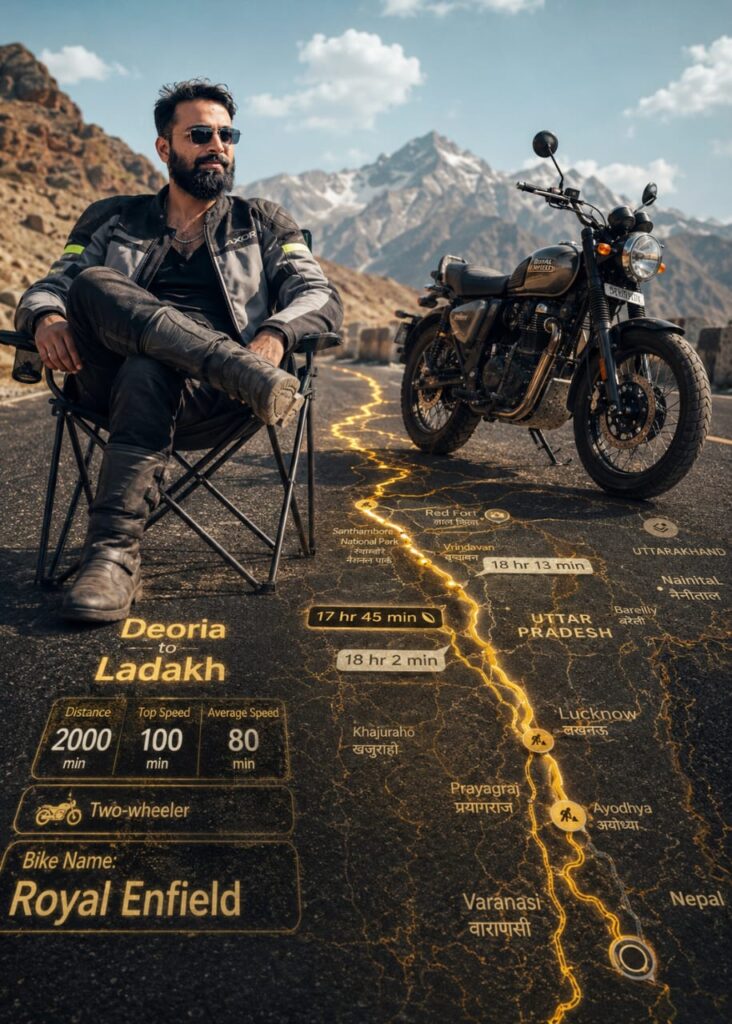
The provided images may only be used as a single human subject. The boy, wearing a sports riding outfit, is riding on a chair with a bike stake beside him, and the riding jacket, level, boots, size, body proportions, and posture have been maintained exactly. The biker may not be embellished, stylized, designed, or reduced in any way.

Combine the biker photo with the provided Wheelsafar ride stats screenshot into a single cinematic composition.

Read all visible ride data directly from the Wheelsafar screenshot and reproduce the values EXACTLY as shown. Do not modify, reinterpret, approximate, or redesign any numbers, labels, route shapes, icons, or branding elements.

The real Wheelsafar stats Ul with the EXACT numbers and formatting from the screenshot must appear clearly embedded onto the 3D ground beneath the biker, naturally integrated into the asphalt perspective.

The stats should feel physically painted, illuminated, or projected onto the road surface with realistic depth, reflections, texture interaction, and environmental lighting. Do NOT make the UI float in the air.

Extract the Wheelsafar route map from the screenshot and project it onto the

ground in realistic 3D perspective:

Location: [ Deoria] to [ Ladakh )

Laddakh

Distance: [ 2000 ]

Top Speed: [ 100 ]

Average Speed: [ 80 ]

Two-wheeler -

Bike Name: [Royal Enfield ]

The route must form the main glowing road path beneath and ahead of the biker. min

The same route must also extend around the biker on the ground, subtly framing the rider composition.

The route must feel physically embedded into the asphalt with realistic perspective distortion, edge glow, depth, and light spill. Never make the route holographic or floating. MAHARASHTRA

Top Speed

The route glow color must match the Wheelsafar yellow theme exactly, vibrant golden yellow with cinematic contrast.

Do NOT change the original background, lighting, environment, or composition from the biker photo. Only embed the Wheelsafar stats and route naturally into the scene as instructed.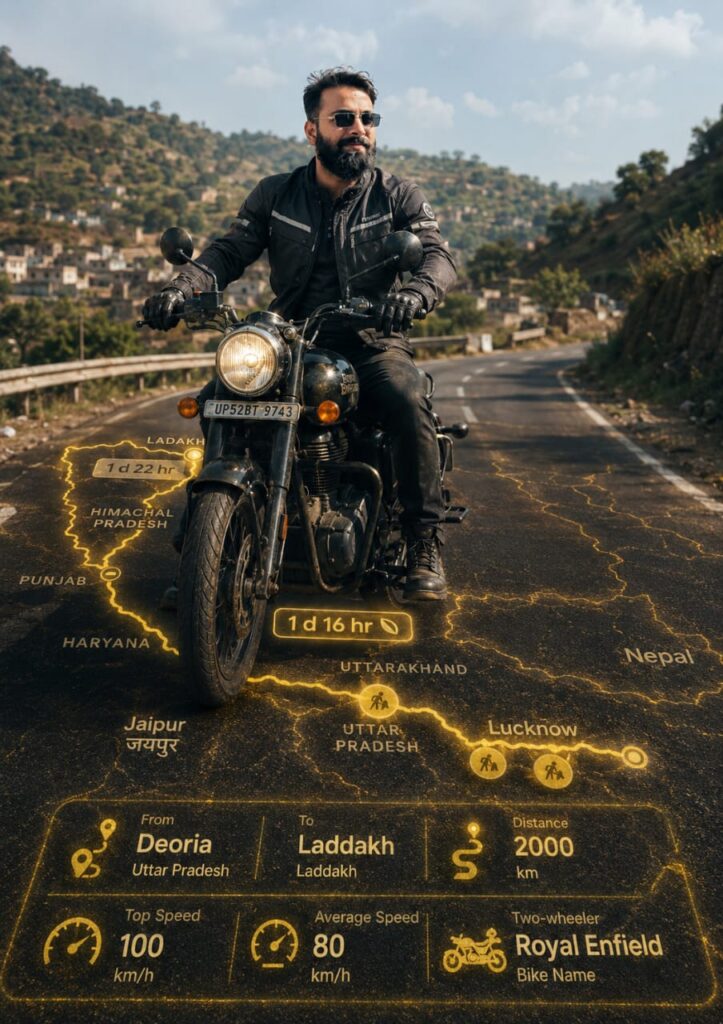
Use the provided biker photo as the ONLY human subject. Maintain identity, face, skin tone, hair, riding gear, riding jacket with helmet, gloves, boots shoes, body proportions, and pose EXACTLY. DO NOT beautify, stylize, or alter the biker in any way.

Combine the biker photo with the provided Wheelsafar ride stats screenshot into a single cinematic composition.

Read all visible ride data directly from the Wheelsafar screenshot and reproduce the values EXACTLY as shown. Do not modify, reinterpret, approximate, or redesign any numbers, labels, route shapes, icons, or branding elements.

The real Wheelsafar stats Ul with the EXACT numbers and formatting from the screenshot must appear clearly embedded onto the 3D ground beneath the biker, naturally integrated into the asphalt perspective.

The stats should feel physically painted, illuminated, or projected onto the road surface with realistic depth, reflections, texture interaction, and environmental lighting. Do NOT make the UI float in the air.

Extract the Wheelsafar route map from the screenshot and project it onto the

ground in realistic 3D perspective:

Location: [ Deoria] to [ Ladakh LOCATION)

Laddakh

Distance: [ 2000 ]

Top Speed: [ 100 ]

Average Speed: [ 80 ]

Two-wheeler -

Bike Name: [Royal Enfield ]

The route must form the main glowing road path beneath and ahead of the biker. min

The same route must also extend around the biker on the ground, subtly framing the rider composition.

The route must feel physically embedded into the asphalt with realistic perspective distortion, edge glow, depth, and light spill. Never make the route holographic or floating. MAHARASHTRA

Top Speed

The route glow color must match the Wheelsafar yellow theme exactly, vibrant golden yellow with cinematic contrast.

Do NOT change the original background, lighting, environment, or composition from the biker photo. Only embed the Wheelsafar stats and route naturally into the scene as instructed.
How to Create ” Bike & Car Trip Aesthetic” AI Photo Editing Prompts using ChatGPT
Let me explain how to use this tool. First, you will need an AI application—specifically Google Gemini or ChatGPT. These prompts have been designed to work with both Google Gemini and ChatGPT. You can find Google Gemini and ChatGPT on the Play Store, or if you prefer, you can access and use them directly via the Chrome browser. Once you have the app, log in using your Gmail account. Next, click on the “+” icon to upload a photo of yourself (specifically one that clearly shows your face). Then, simply copy the prompt you like best from the available options and paste it into Google Gemini or ChatGPT. In just a few moments, your image will be ready!
Conclusion of TRIP Aesthetic AI Prompts
In this guide, we have made every effort to teach you—using the most effective methods—how to utilize AI to transform any of your photos or videos. You should definitely give these TRIP Aesthetic AI Photo Editing Prompts (via ChatGPT) a try, as they offer a truly unique style. Furthermore, if you have any additional questions or wish to learn more, please feel free to ask. Do share these AI prompts with your friends, and let us know what you thought of this photo editing technique by leaving a quick comment below.