
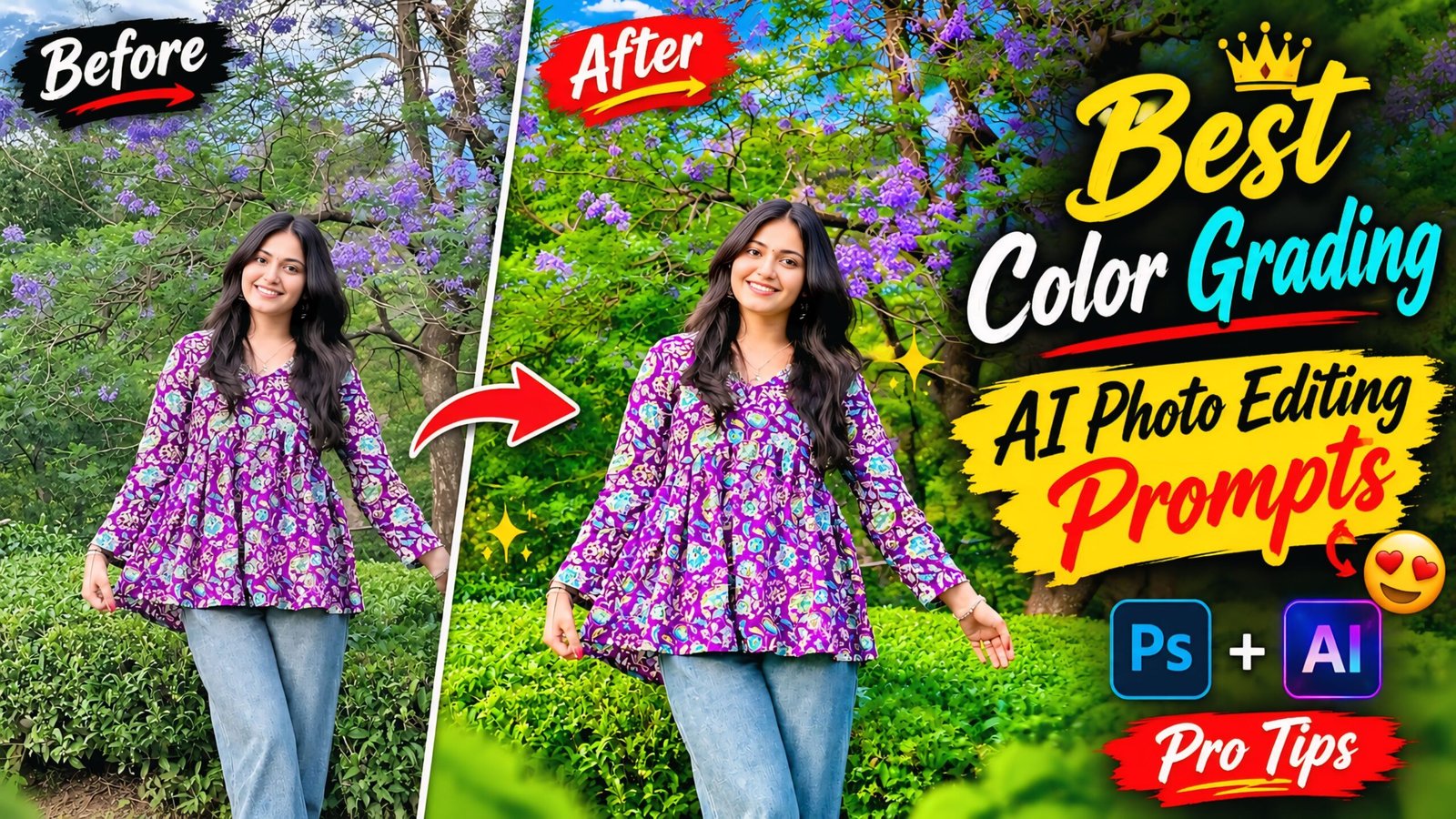
Best Color Grading AI Photo Editing Prompts, In this article, I’m sharing a fantastic and unique photo editing tip. You can create these kinds of photos on your phone with just a single click! You can apply this color grading—which you could also think of as a form of simple retouching—to any of your photos with ease. You’ll find the AI prompts (along with example photos) further down; they are very versatile and can be applied to any image, so it’s definitely worth keeping them handy for future use. This trend is currently going viral on Instagram—try it out on your own photos and share the results with your friends!
You know that now everyone has stopped making manual photos because it used to take a lot of time, seeing that now you can make your photos in just one click with the help of Ai Prompts. At present, every content creator is using Ai, so you can also make any photo you want through Ai and can put it on your Instagram Facebook and can also share it with any of your friends. Let us tell you that this photo editing is being made by everyone right now. This AI photo editing is very easy to make, you can make it with the help of an app whose name is ChatGPT, I have also given you the link below.
About the Best AI Photo Editing Prompts for Color Grading
We have provided a set of prompts that you can apply to any of your photos. Using these AI prompts, you can completely transform the background of your image, enhance the colors, apply subtle retouching, and smooth out facial features. These AI prompts enable you to achieve top-tier AI editing. Previously, editing a single photo used to be time-consuming, but that is no longer the case—now, you can edit your photo with just a single click. You can use these prompts for both photos and videos, achieving ultra-HD quality. You can utilize ChatGPT to generate these edits for your photos, while Google Gemini can be used for your videos.
Best Color Grading AI Photo Editing Prompts
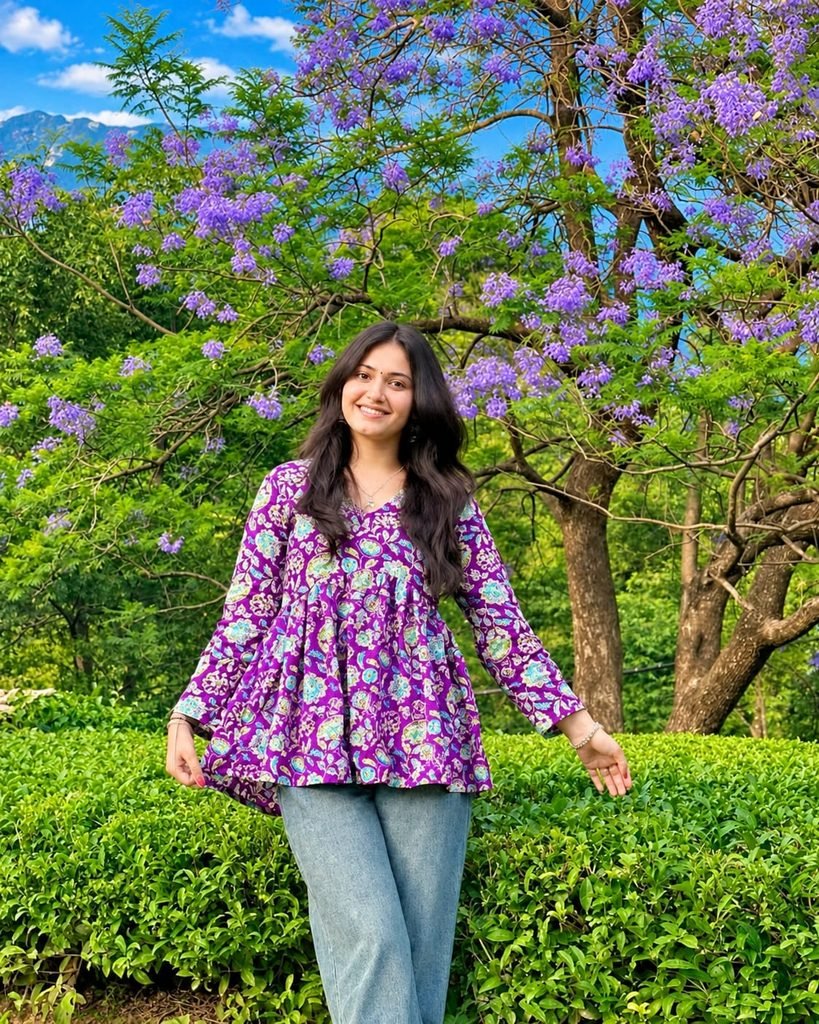
Apply premium Teal & Warm cinematic color grading inspired by professional DSLR wedding photography. Create rich, vibrant and naturally cinematic colors with subtle teal shadows, deep natural greens, warm golden highlights and a beautifully enhanced blue sky. Deliver a premium professional wedding photography finish while maintaining complete photographic realism.

1. STRICT FACE & IDENTITY PRESERVATION — ABSOLUTE TOP PRIORITY

– Preserve every person's exact original face and identity 100%.
– Do NOT change, regenerate, reconstruct or modify any face.
– Preserve exact eyes, nose, lips, eyebrows, jawline, face shape, smile and facial expression.
– Maintain original skin texture, pores, fine details and natural imperfections.
– Preserve original skin tone without artificial whitening or color changes.
– No face enhancement, beauty filters, skin smoothing or artificial retouching.
– Do not make anyone look younger, older or different.
– Every person must look exactly like they do in the original photograph.
– Face identity preservation is more important than any color grading effect.

2. VIBRANT BLUE SKY — ENHANCED SATURATION

– Increase the sky's blue and cyan saturation noticeably.
– Create a rich, deep, vibrant and beautiful natural blue sky.
– Enhance sky vibrance and color intensity for a premium cinematic appearance.
– Make the sky more colorful and visually attractive than the original.
– Preserve realistic cloud details, natural gradients and original sky texture.
– Maintain smooth, natural transitions between blue and cyan tones.
– Avoid dull, grey or washed-out sky colors.
– Do not create artificial neon blue, excessive cyan or unrealistic color patches.
– Apply sky enhancement selectively without affecting people's skin tones, clothes or other objects.

3. NATURAL GREEN GRASS & VEGETATION

– Make grass look fresh, healthy, naturally rich and green.
– Enhance grass with deep natural green and subtle olive-green tones.
– Preserve original grass texture, individual blades and environmental details.
– Keep trees, plants and vegetation naturally vibrant.
– Avoid yellowish, dull, grey, neon or fluorescent green.
– Maintain realistic outdoor wedding photography colors.

4. PREMIUM TEAL & WARM CINEMATIC COLOR GRADING

– Apply subtle teal tones to shadows.
– Add soft warm golden highlights.
– Create rich natural greens and beautifully enhanced blue tones.
– Improve color depth and tonal separation.
– Maintain balanced contrast and natural dynamic range.
– Keep blacks deep but detailed.
– Preserve soft highlights without clipping.
– Keep whites clean and neutral.
– Maintain completely realistic skin tones.
– Adapt color grading to each photograph's original lighting conditions.

5. NATURAL DSLR-QUALITY FINISH — NO AI LOOK

– Make the final photograph look like it was captured using a professional DSLR camera.
– Create a premium wedding photographer's color-grading finish.
– Preserve authentic photographic texture and natural imperfections.
– Maintain realistic details, lighting, shadows and depth.
– No plastic skin, artificial smoothness or excessive clarity.
– No fake HDR, artificial glow, fake bokeh or unrealistic lighting.
– No AI-generated textures, details or unnatural color transitions.
– Avoid excessive sharpening, noise reduction and artificial enhancement.
– The final result must look like a genuine professionally edited photograph, not an AI-generated image.

6. STRICT ORIGINAL PHOTO PRESERVATION

– Do not add, remove or replace any person or object.
– Do not change clothing, jewellery, hairstyle, body shape or pose.
– Do not modify the background, architecture or environmental elements.
– Preserve original composition, framing, perspective and camera angle.
– Do not crop, stretch, distort or reconstruct any part of the photograph.
– Preserve all original photographic details.

7. COLOR ADJUSTMENTS ONLY — NO GENERATIVE EDITING

Only adjust:

– White balance
– Exposure
– Contrast
– Highlights
– Shadows
– Color grading
– Vibrance
– Saturation
– Natural color depth

Do not use generative AI to recreate, replace, modify or enhance any part of the photograph.

FINAL RESULT

Deliver a premium Teal & Warm cinematic wedding photograph with a rich, highly vibrant natural blue sky, fresh deep green grass, warm golden highlights, subtle teal shadows, balanced contrast and completely realistic skin tones.

MOST IMPORTANT RULES:

1. Every person's original face and identity must remain absolutely unchanged.
2. Sky saturation should be noticeably higher with beautiful rich blue and cyan tones.
3. Grass must look naturally fresh and green.
4. No artificial skin smoothing or plastic-looking effects.
5. Preserve original photographic details and natural DSLR realism.

The final image must look like a real photograph professionally color-graded by an expert wedding photographer. It must never look AI-generated or artificially reconstructed. Don't Change Face
How to Use the Best AI Photo Editing Prompts for Color Grading (2026)
To perform color grading on your photos, you will need an app called ChatGPT. You can download it using the link provided below. Once downloaded, log in using any Gmail account. At the bottom, you will see a ‘+’ icon; click on it to upload the photo you wish to edit. Next, copy the prompt corresponding to the style you like, paste it alongside your photo, and send it. Wait a few moments, and your edited photo will be ready. You can then download it by clicking the download option provided below.
Conclusion on Color Grading
As you know, the AI prompts I provide are always distinct and unique. This particular AI prompt for color grading is truly fantastic. I have shared all the necessary details—simply follow them to enhance your photos. If you encounter any issues while using them, please let me know in the comments. Additionally, if you need any other types of AI prompts, feel free to reach out in the comments section!