
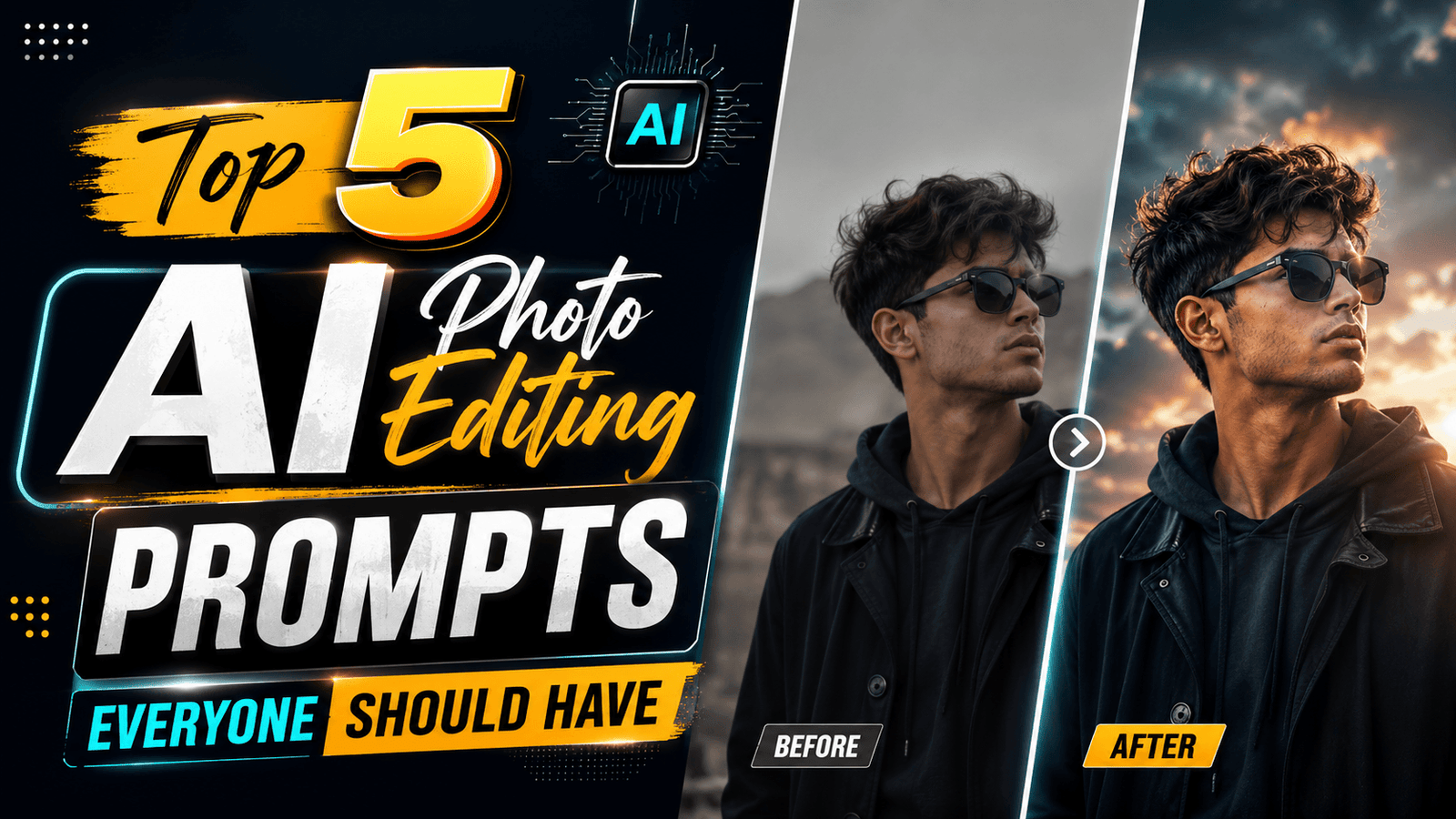
Here are the top 5 AI photo editing prompts. This article features fantastic and unique AI prompts that you can use anytime; they can be applied to any of your photos and are useful for everyone. These 5 prompts stand out from the rest and are a must-have, as they allow you to customize your photos exactly the way you want—so be sure to save them quickly.
Here are the top 5 AI prompts—ones you likely haven’t seen before—that will yield excellent results when used in ChatGPT, producing high-quality images. Be sure to save them. Let’s take a look at what these 5 prompts are.
Top 5 AI Photo Editing Prompts
1 – Studio Look : Simply take any of your photos, go to ChatGPT, upload the photo, and paste the prompt provided below; your photo will be generated exactly in that style.
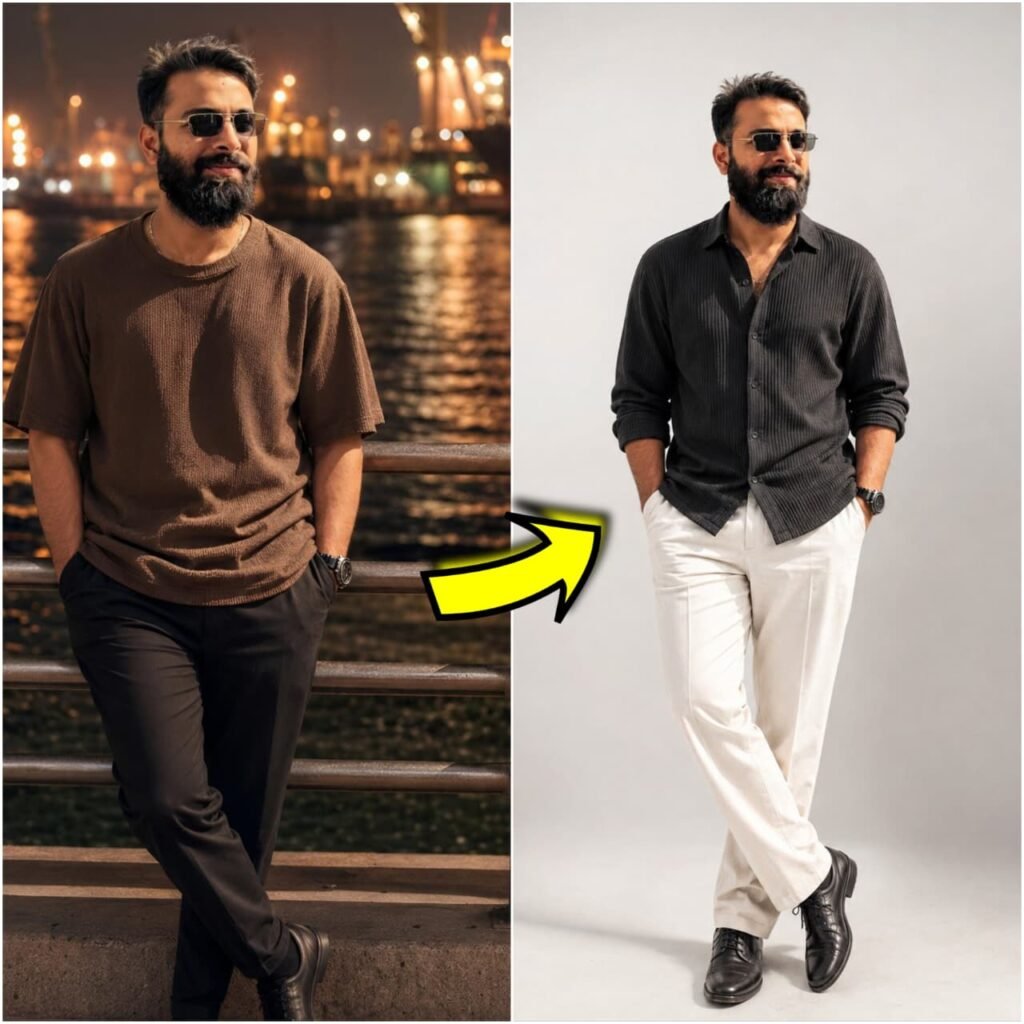
Change this uploded images background in to a white studio background, frame 3:4, make i ultra cinematic quality

Change my cloth to fashion cloth that suits on me. Don't change face
2 – Clear Any Photo: Simply apply this AI prompt to any photo—no matter how poor its quality—and your enhanced photo will be ready in moments. These prompts are truly impressive; we have provided both a demo and the prompts themselves for you to use.
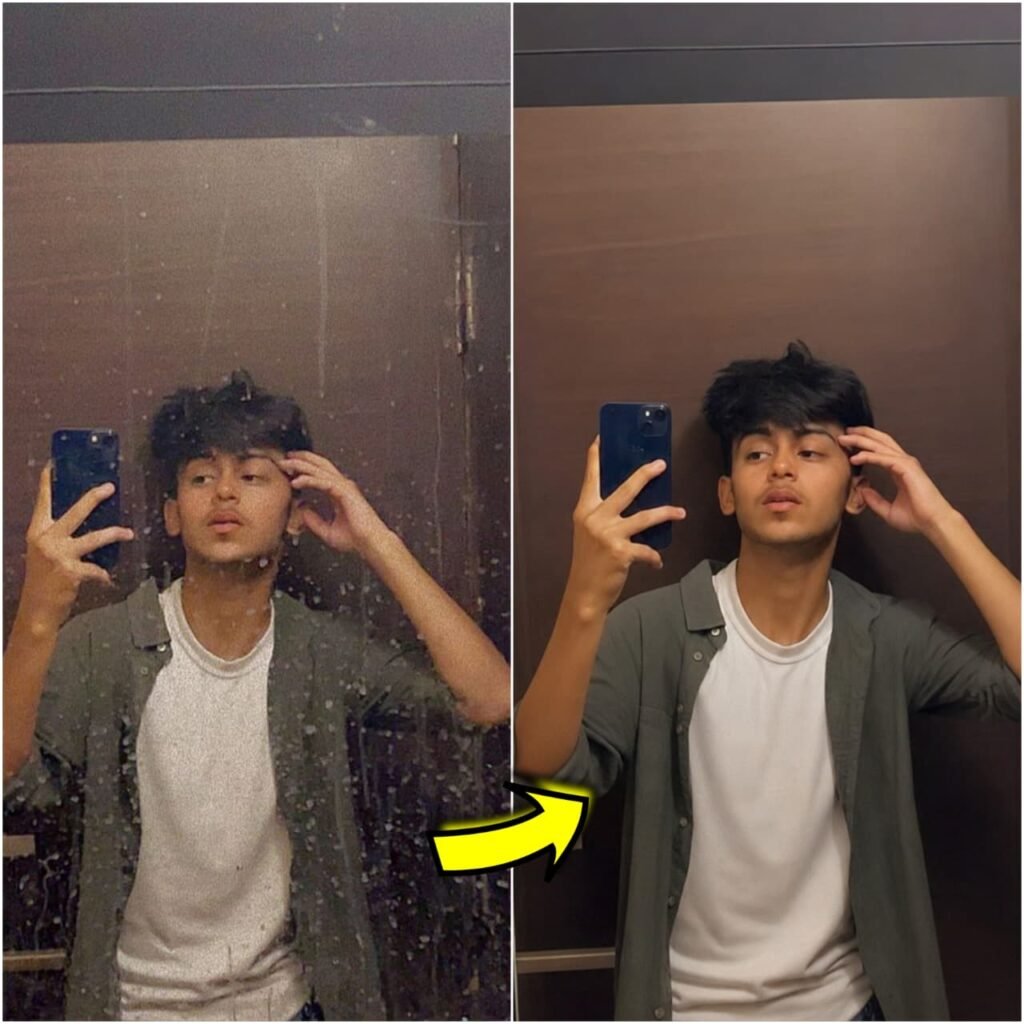
Remove only the dirt, water stains, smudges, and mirror spots from the mirror.

Keep everything else exactly the same. Do not change the person's face, body, hairstyle, clothes, lighting, or camera angle.

Make the mirror perfectly clean, transparent, and realistic like a freshly cleaned mirror." Don't change face
3 – Cinematic Look Prompt: You can give any of your photos a great cinematic look using this prompt. It is an excellent choice, as everyone loves cinematic photos; you can view it below and should keep the mentioned points in mind.
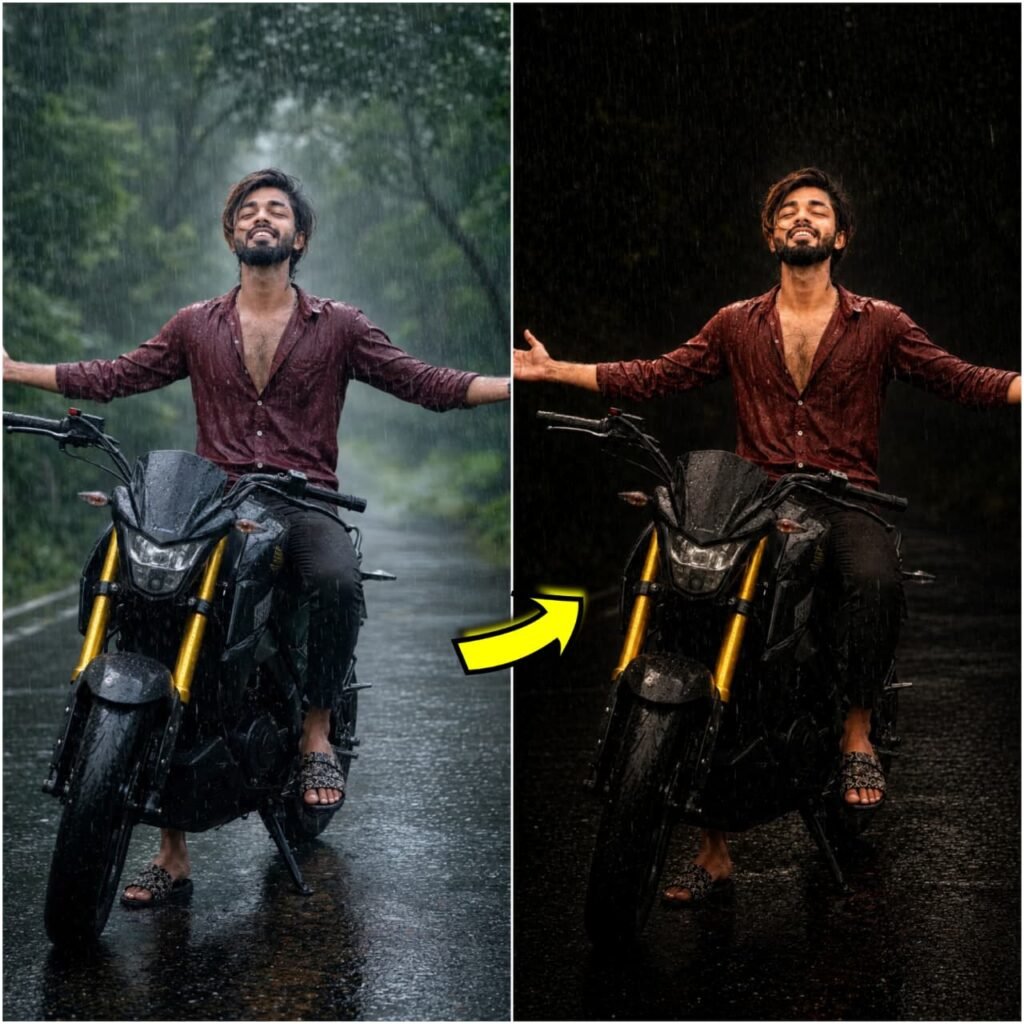
Apply a bold night-flash aesthetic to the uploaded photo while preserving original details except for lighting, glow, and color mood.

Keep the night-time enviroment dark and unlit, maintaining existing shadows and silhouettes. Do not brighten the backgrounnd except for slight enhancement of point lights.

Illuminate the subject with a strong, warm, direct front-facing flash, focused near the face and upper body (primary bright area).

Add diffused sun-beam style highlights on cheekbones, nose bridge, lips and hair strands. Maintain separation between bright areas and deep shadows for cinematic contrast.

NEGATIVE INSTRUCTIONS:

No new background.
No background change.
No overly dramatic lighting.
No face morphing.
No fake glow.
No flat lighting.
No over-smooth skin.
No pose change
no change change model face.
4 – Background Change Prompt: With these AI prompts, you can easily change the background of any of your photos. Simply download the background you like, apply it to your photo, and paste the provided prompt. The background of your photo will then be changed.
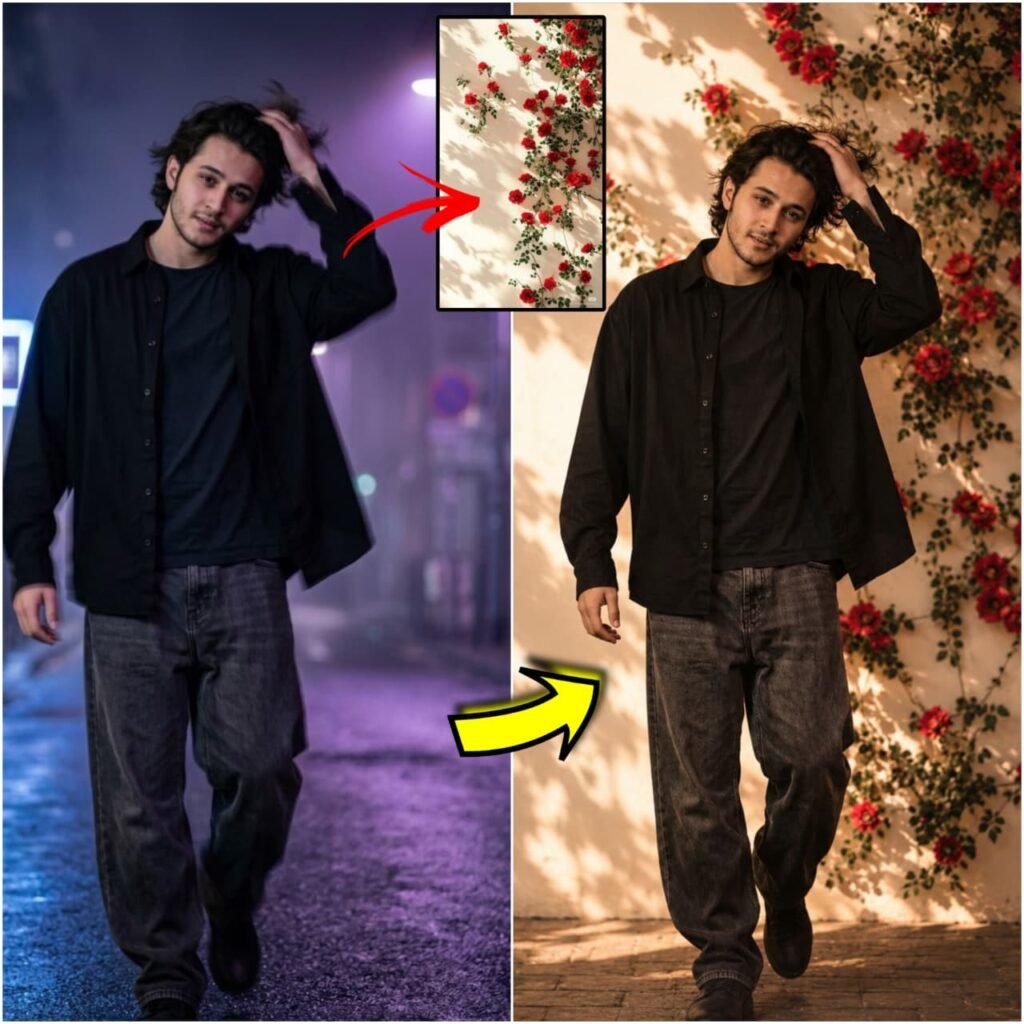
Replace the subject's background with the provided background image. Keep the subject

EXACTLY unchanged (face, skin tone, features, beard, hair, body, clothing, expression). Remove the original background cleanly with precise edges (no blur, no halo, no rough cut).

Match scale and perspective naturally.

Adjust lighting (direction, intensity, temperature) to fit the background. Add realistic shadows and subtle light spill. Match color grading, contrast, brightness, and white balance. Maintain natural depth of field.

Final result must be ultra-realistic, with no visible cutout or edited look - as if originally shot in that background. Don't change face
5 – Different Outfits Change Prompt: So far, you have changed backgrounds; now you can also change your outfits. Simply download the outfit you want to wear—whether it is a trending style, a viral look, or something suitable for a party—combine it with your photo, and use the prompt we have provided. Your image will then be ready.
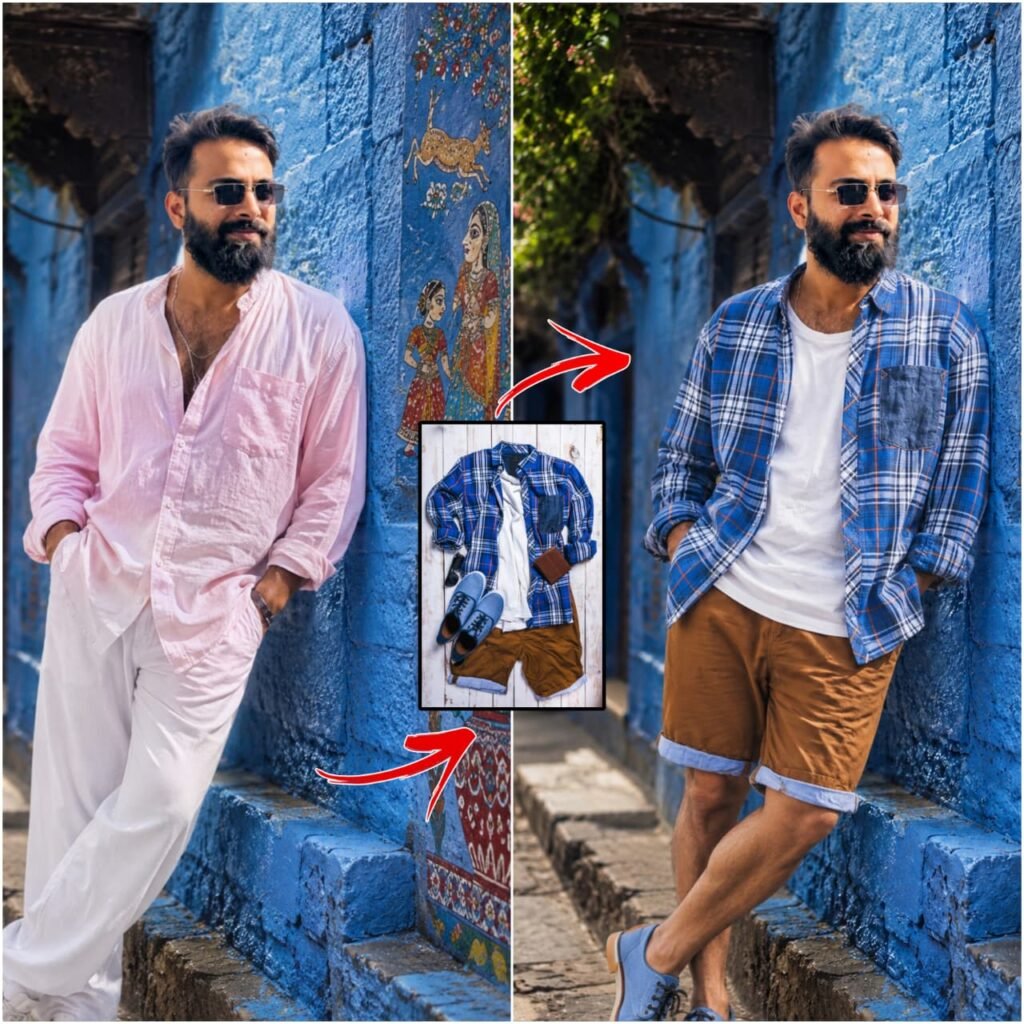
Take the person from the first photo and apply the clothing from the outfit image onto the same person.
Strict rules:
Preserve the person's identity, face, body shape, skin tone, hairstyle, pose, camera angle and background exactly the same.

Do not change the person's face or body.

Replace only the clothing with the outfit from the reference image.

IMPORTANT: Preserve the exact clothing fit and silhouette from the outfit reference image. If the outfit is baggy, oversized, loose, wide or relaxed fit, keep it baggy exactly the same. If the outfit is slim fit, skinny or tailored, keep it slim exactly the same.

Do not automatically make the clothes tight or slim.

The outfit must naturally fit the person's body while maintaining the original fit style from the outfit image.

Maintain correct proportions, folds, drapes, shadows and realistic fabric texture.

Match lighting, perspective and color grading with the original photo so the outfit looks naturally worn.

Keep accessories from the outfit if visible.

The final image must look like a real photo, not edited or Al generated.

Photorealistic 8K DSI R aualitv natural lighting, realistic fabric physics, seamless blending.

Do not modify the clothing style, structure, or looseness from the outfit reference image. Don't change face
Conclusion of Top 5 AI Photo Editing Prompts
In this post, we have shared the top 5 AI photo editing prompts for daily use—prompts you can utilize anytime, anywhere. We highly recommend trying them out; we have explained how to use each one and included sample photos so you can easily visualize the results. These 5 prompts are particularly important, but if you need any other editing tips or tricks, please let us know in the comments.