
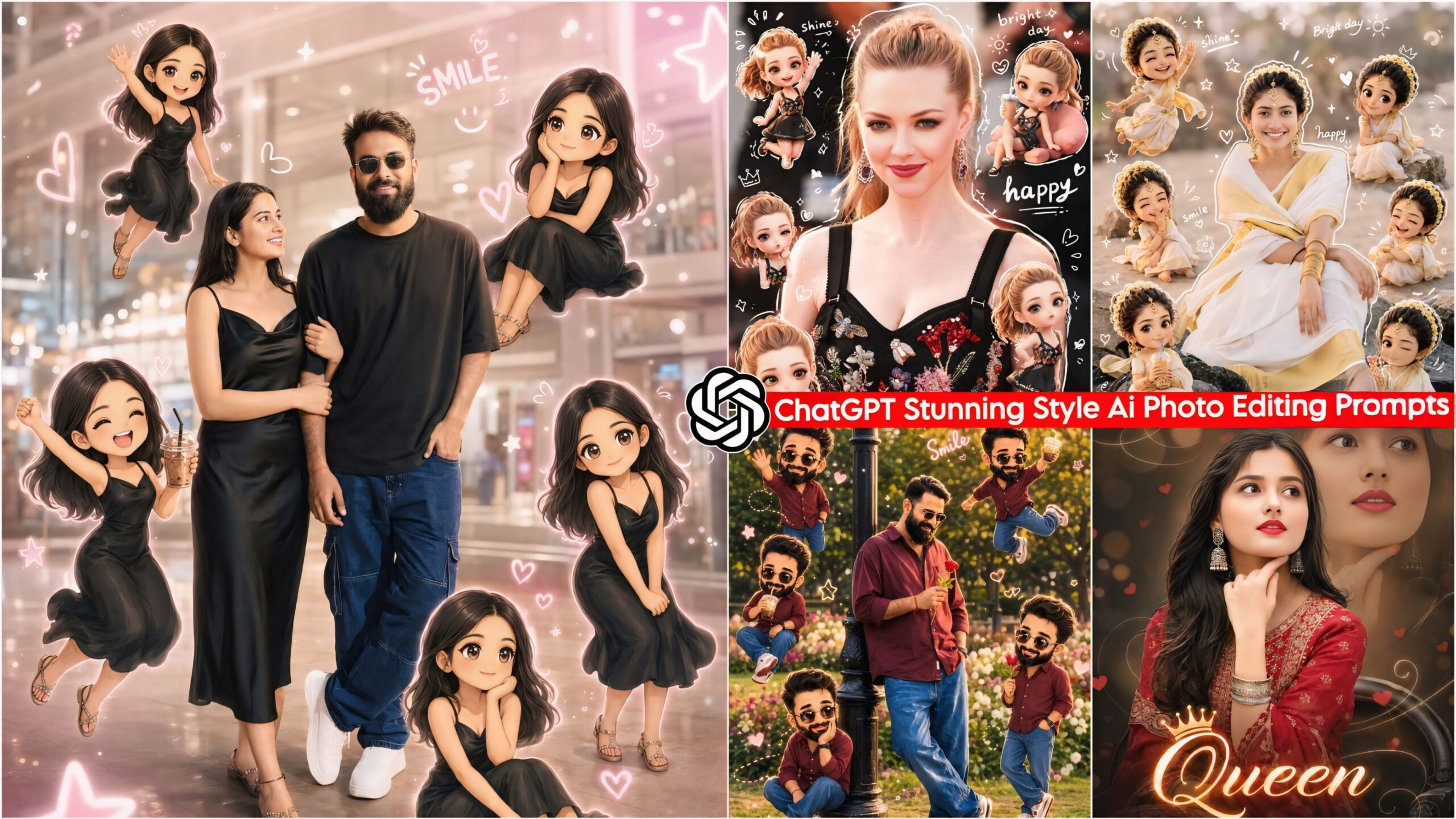
ChatGPT Stunning Style AI Photo Editing Prompts: Friends, in this article, I have provided you with a truly magnificent and unique set of AI prompts—distinct from the rest—that are currently going viral across Instagram and Facebook. With these prompts, you can transform your very own photographs; simply take a real photo that you have captured using your phone or camera, input it into ChatGPT along with these prompts, and your image will be generated as an exact replica of the style. These AI prompts are brand new, and everyone is currently trying them out. As you already know, whenever any new trending AI prompts or editing-related content emerges, we are always the first to share it with you.
This looks absolutely beautiful! It features a total of five small, miniature versions of Shin-chan—each bearing your exact likeness—striking different poses and positioned in various spots, creating a truly delightful visual effect. Additionally, a white silhouette of your entire body is incorporated into the design, giving it a unique and distinctive aesthetic. Anyone—whether male or female, in a relationship or married—can create this; you can even share it on your social media profiles, where it is sure to look fantastic. You definitely must give this a try!
Trending Ai Photo Editing Prompts
About ChatGPT Stunning Style AI Photo Editing Prompts
In this section, we have provided you with a single prompt that allows you to generate as many “shiny” style photos as you desire. These images are so realistic and natural-looking that it is virtually impossible to tell they were created by AI. Simply copy the prompt from here, paste it into ChatGPT alongside any photo of your choice, and your image will be ready in just one minute. It is incredibly easy to do. As you are well aware, people have become quite advanced these days; everyone wants ready-made solutions and seeks to complete tasks in the shortest possible time. With this in mind, people are now utilizing AI to create not just photos, but even videos.
ChatGPT Stunning Style Ai Photo Editing Prompts – Chibi Cartoon Style
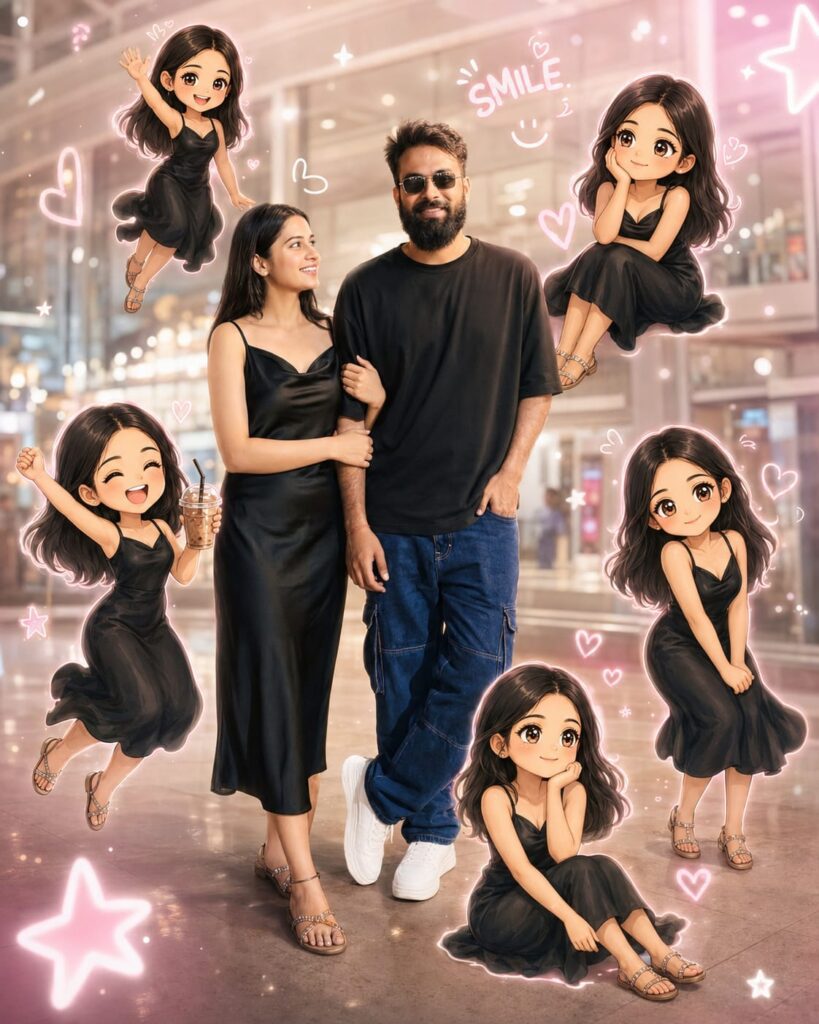
Create a cute dreamy "mini cartoon clone" edit from my uploaded photo. Keep the real person in the center in full body, wearing the same clothes and same hairstyle as the uploaded image. Around the real person, create 5 adorable chibilcartoon versions of me in different poses and expressions like: waving happily sitting with hand on cheek jumping in air holding a cold drink cute smiling pose The cartoon clones should look exactly like me with: big glossy eyes soft silky hair cute tiny body proportions same dress and shoes as original photo Style should be: ultra cute kawaii aesthetic soft glowing outline around characters pastel dreamy lighting mall/background slightly blurred doodle elements like hearts, stars, smile text, sparkles, happy vibes Instagram reel / Pinterest aesthetic vibrant pink and white tones realistic + cartoon mix Composition: Real me standing in center Cartoon mini versions floating/sitting around me naturally High detail face matching uploaded photo Cinematic soft. Frem size 4:5 don't change face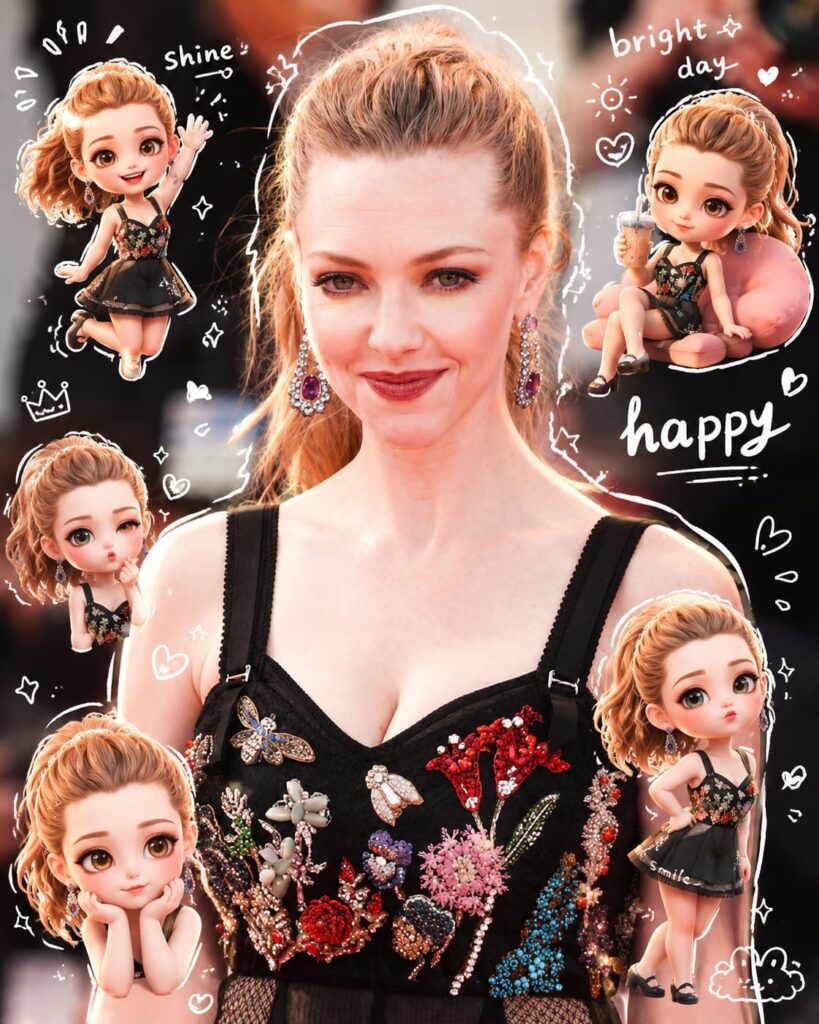
Use a real face as a reference photo. The background is the same as in the photo. The lighting is warm, soft, and clean, with subtle shadows. Around the image, add several mini chibi (3D cute style) versions of the character, while maintaining the original facial features.expressions: jumping cheerfully waving sitting relaxedholding a drink cute and playful expressions Add hand-drawn white doodle elements: outline around the main body stars, hearts, sparkles motion lines small cute icons Add aesthetic handwriting such as: "shine," "bright day," "happy," "smile," etc. (casual doodle font) Overall style: clean & aesthetic composition white sticker outline soft pastel color tone high detail 3D chibi glossy look cute Korean style instagrammable 4:5 ratio. Don't change face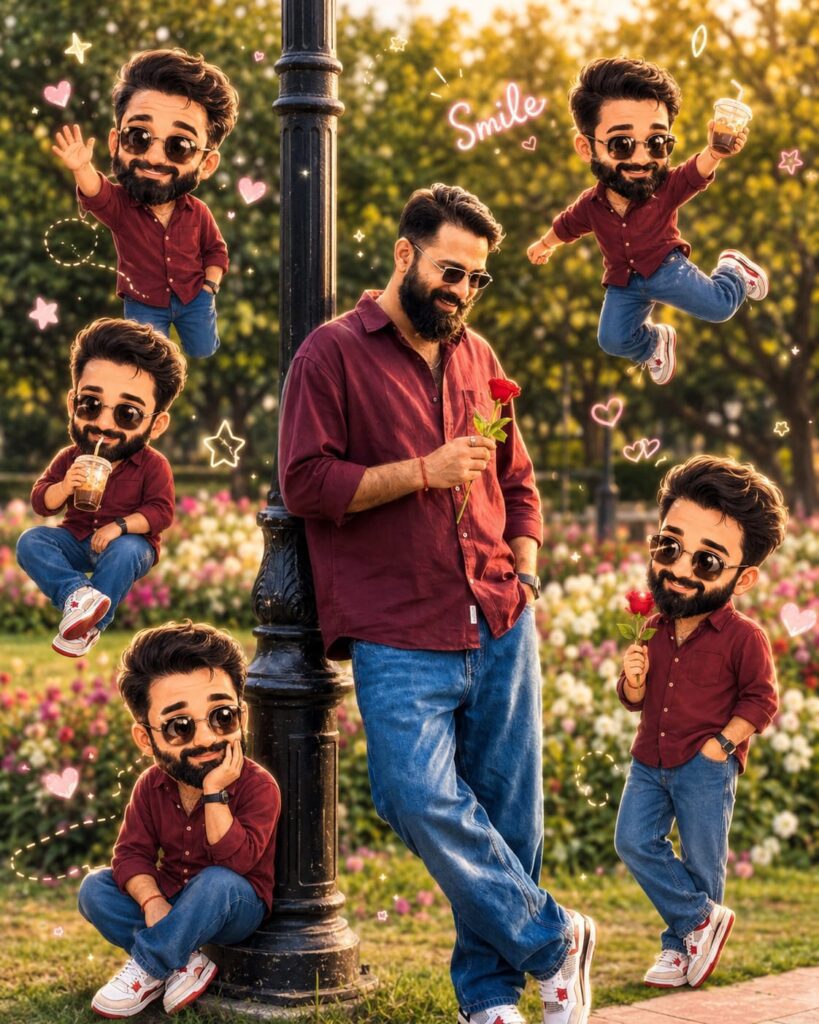
Create a cute dreamy "mini cartoon clone" edit from my uploaded photo. Keep the real person in the center in full body, wearing the same clothes and same hairstyle as the uploaded image. Around the real person, create 5 adorable chibilcartoon versions of me in different poses and expressions like: waving happily sitting with hand on cheek jumping in air holding a cold drink cute smiling pose The cartoon clones should look exactly like me with: big glossy eyes soft silky hair cute tiny body proportions same dress and shoes as original photo Style should be: ultra cute kawaii aesthetic soft glowing outline around characters pastel dreamy lighting mall/background slightly blurred doodle elements like hearts, stars, smile text, sparkles, happy vibes Instagram reel / Pinterest aesthetic vibrant pink and white tones realistic + cartoon mix Composition: Real me standing in center Cartoon mini versions floating/sitting around me naturally High detail face matching uploaded photo Cinematic soft. Frem size 4:5 don't change face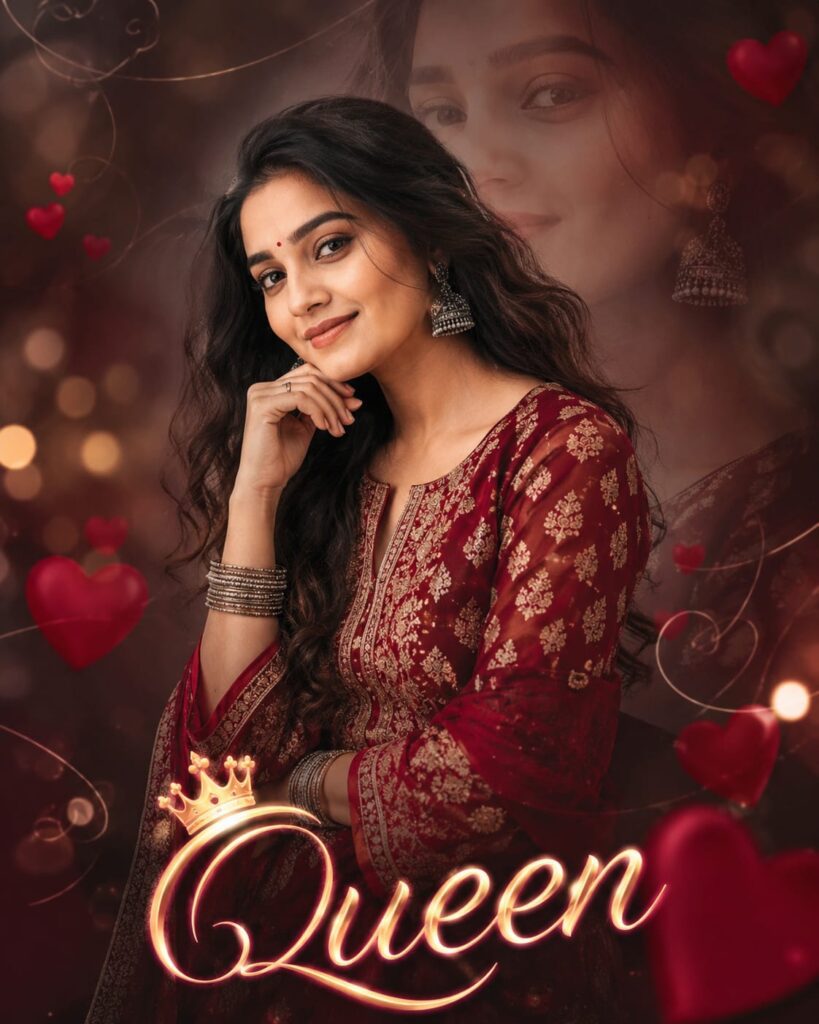
A high-quality cinematic portrait of a beautiful young Indian woman with long, wavy dark hair, posing gracefully with her hand under her chin. She is wearing a traditional deep red kurti with intricate gold ethnic patterns, styled with silver jhumka earrings and matching bangles. In the background, there is a soft, dreamy double exposure effect showing a faded, ethereal version of her face. The atmosphere is filled with soft bokeh lights, floating red heart illustrations, and elegant swirl line art. At the bottom, the word "Queen" is written in a glowing, stylish cursive font with a small crown on the letter 'Q'. 8k resolution, photorealistic, soft studio lighting, and highly detailed textures. Frem size 4:5 Don't change face
What Are AI Prompts?
Essentially, AI prompts can be viewed as a form of coding that enables you to generate photos and videos. You can find a wide variety of these prompts available on our website—ranging from those designed for creating images to those for generating videos—content that you won’t find on any other website. Specifically, these AI prompts are designed for use with a select few applications; we have listed these for your reference, and they include Google Gemini, ChatGPT, Flow, and Grok. These tools are accessible across various platforms, allowing you to create whatever you desire simply by typing text or speaking commands—providing you with a comprehensive range of creative options.
How to Use ChatGPT for Stunning AI Photo Editing Prompts
To create photos using these stunning Google Gemini-style AI editing prompts, you will need an application called ChatGPT. We have provided a download link below, which you can use to install the app. Once installed, log in using your Gmail account (you may use any Gmail address). Next, locate the ‘+’ icon at the very bottom of the screen; click on it to upload the specific photo you wish to edit. Then, simply copy the prompt corresponding to the style you like from this page, paste it alongside your uploaded photo, and hit send. After waiting just a few moments, your edited photo will be ready; you can then download it by clicking on the download option provided at the bottom.
Conclusion: Stunning Style AI Prompts
In this guide, I have covered everything you need to know regarding ChatGPT’s “Stunning Style” AI photo editing prompts. I have explained what these AI prompts are and provided a detailed, step-by-step breakdown of exactly how to use them. If you have any further questions or wish to learn anything else beyond what has been covered here, please feel free to ask in the comments section; I will be more than happy to assist you. Additionally, if you are looking for any other specific types of AI prompts, please let us know.