
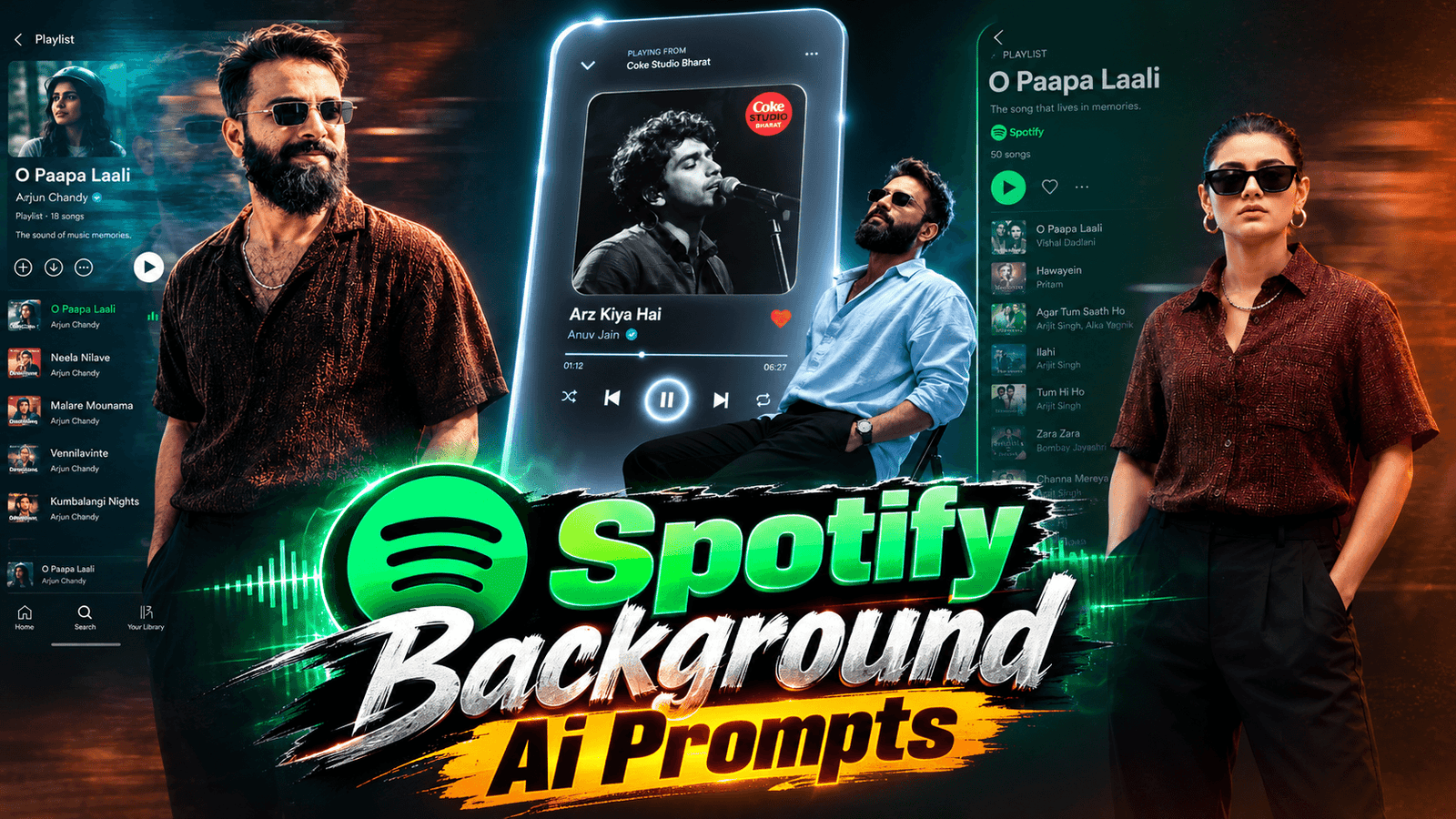
Spotify Background Ai Photo Editing Prompts, This Spotify background photo editing style is currently going viral, and you can create it too—quickly and easily. Everyone is doing it, and it is trending on Instagram right now. Simply copy the prompts we’ve provided, open ChatGPT on your phone, and use a clear photo of yourself (where your face is clearly visible) along with the prompt. Your image will be ready in no time. These prompts will give your photo a fantastic, unique look that stands out—perfect for a time when everyone loves music.
Regarding the prompts, if you wish to feature the name of your favorite song, you can edit that detail; you can also change the color of the outfit. In this way, you can use various prompts to give your photos distinct looks, as people are currently creating unique images using AI. Content creators, in particular, are utilizing this technology for YouTube, Facebook, and Instagram—covering everything from photo titles and descriptions to trending templates—all of which you can find on our website, Techppindia.
About Spotify Background AI Photo Editing Prompts
In this article, I am sharing unique and stylish AI prompts that produce incredibly realistic and natural-looking images—all achievable with just a single click. These Spotify-themed background photos are currently trending; music lovers—both guys and girls—can easily create them. You can share these images on platforms like Instagram (Reels, posts, and profiles) and TikTok, where they are sure to be a hit. I have designed prompts featuring various poses and settings suitable for both boys and girls, and you can even customize the song choice simply by changing a few words in the prompt.
Spotify Background Ai Photo Editing Prompts 2026
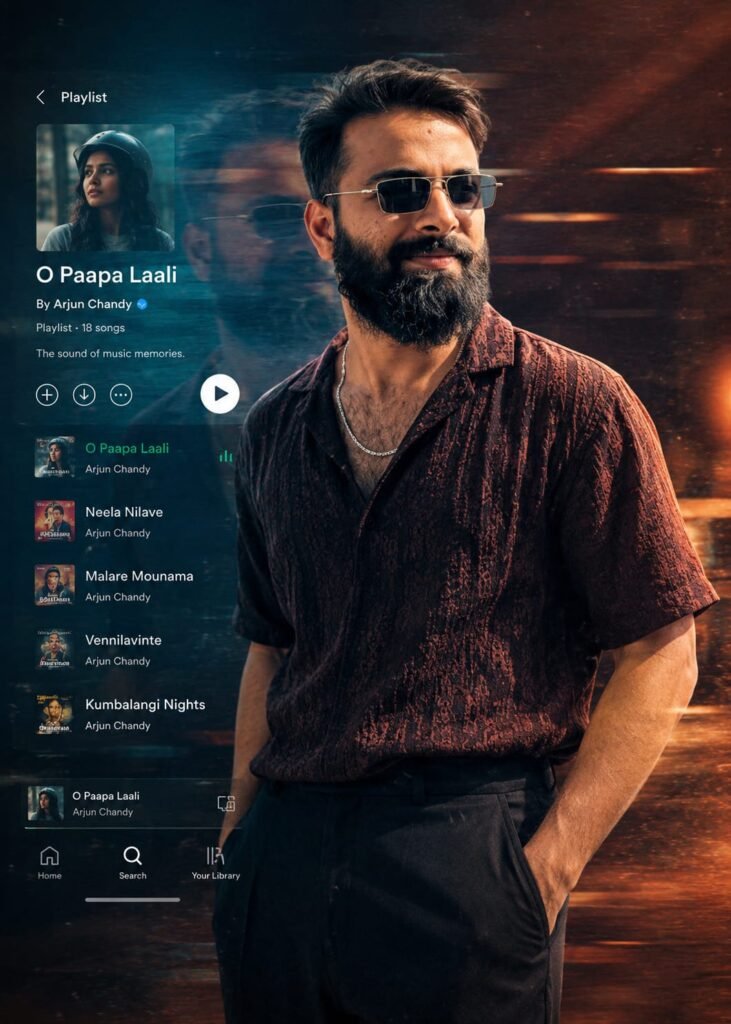
Ultra-realistic cinematic music-inspired editorial portrait of a handsome young Indian man standing confidently in a relaxed three -quarter pose, one hand inside his trouser pocket, wearing premium black rectangular sunglasses, a dark maroon patterned short -sleeve linen shirt with subtle texture, a silver chain necklace, and relaxed black trousers.

Preserve the facial identity naturally with a sharp jawline, styled wavy black hair, well -groomed beard, and attractive features.

The background is a dark moody studio with a blend of deep teal blue and warm amber -orange lighting, soft cinematic haze, floating dust particles, fine analog film grain, and horizontal neon light streaks. Add subtle double-exposure ghosting and motion blur behind the subject to create a dreamy "music memories" atmosphere.

On the left side, overlay a semi-transparent modern music streaming interface (Spotify /Apple Music style) displaying the playlist title "O Paapa Laali" with realistic album covers, white. Don't change face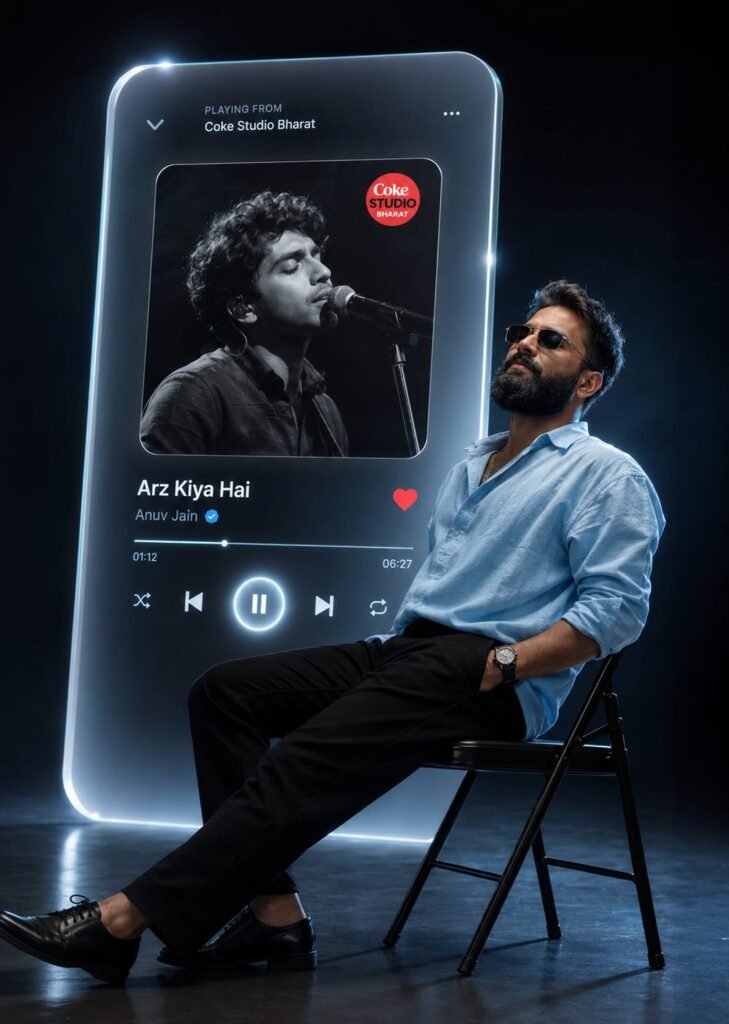
A cinematic ultra-realistic studio portrait featuring the exact person from the uploaded reference image. Preserve the person's exact face, hairstyle, beard, skin tone, facial expression, body proportions, and identity without any alterations. The subject is seated sideways on a black folding chair inside a seamless dark black studio, leaning back with head tilted upward and eyes gently closed, conveying peace, emotion, and deep immersion. He wears a light pink oversized shirt, black tailored trousers, black leather shoes, and a classic wristwatch.

Behind him stands a giant glowing glassmorphism music player interface with rounded corners, white-blue gradient illumination, frosted transparency, realistic reflections, and premium depth. The interface displays a black-and-white singer album cover featuring a small red Coke Studio Bharat logo, with the song title "Arz Kiya Hai" by verified artist "Anuv Jain". Include realistic playback information showing 01:12/06:27, along with elegant shuffle, previous, glowing pause, next, repeat controls, and a vibrant red heart.

The entire composition features dramatic blue rim lighting, cinematic HDR illumination, subtle volumetric light beams, realistic floor reflections, premium luxury minimalism, ultra-detailed textures, soft atmospheric shadows, shallow depth of field, and professional 8K photorealistic quality with a modern editorial aesthetic. Don't change face
How To Use Spotify Background Ai Photo Editing Prompts
I have also explained how to use ChatGPT, so please read carefully. To get started, go to the Play Store on your phone and download the ChatGPT app. Once downloaded, open the app and log in using your Gmail account. After logging in, copy the prompts you like from my website, click the ‘+’ icon in ChatGPT to add a photo, paste the copied prompt, and submit it; your image will be ready in just a short while.
Conclusion Of Spotify Background
You will find all kinds of “Trending Viral” prompts on our website, Techppindia. We have provided step-by-step instructions; simply read the articles we have written, and you won’t face any issues. However, if you do encounter any problems, feel free to let us know in the comments, and we will provide full assistance. You are also welcome to ask any questions related to editing; we are here to help you completely.