
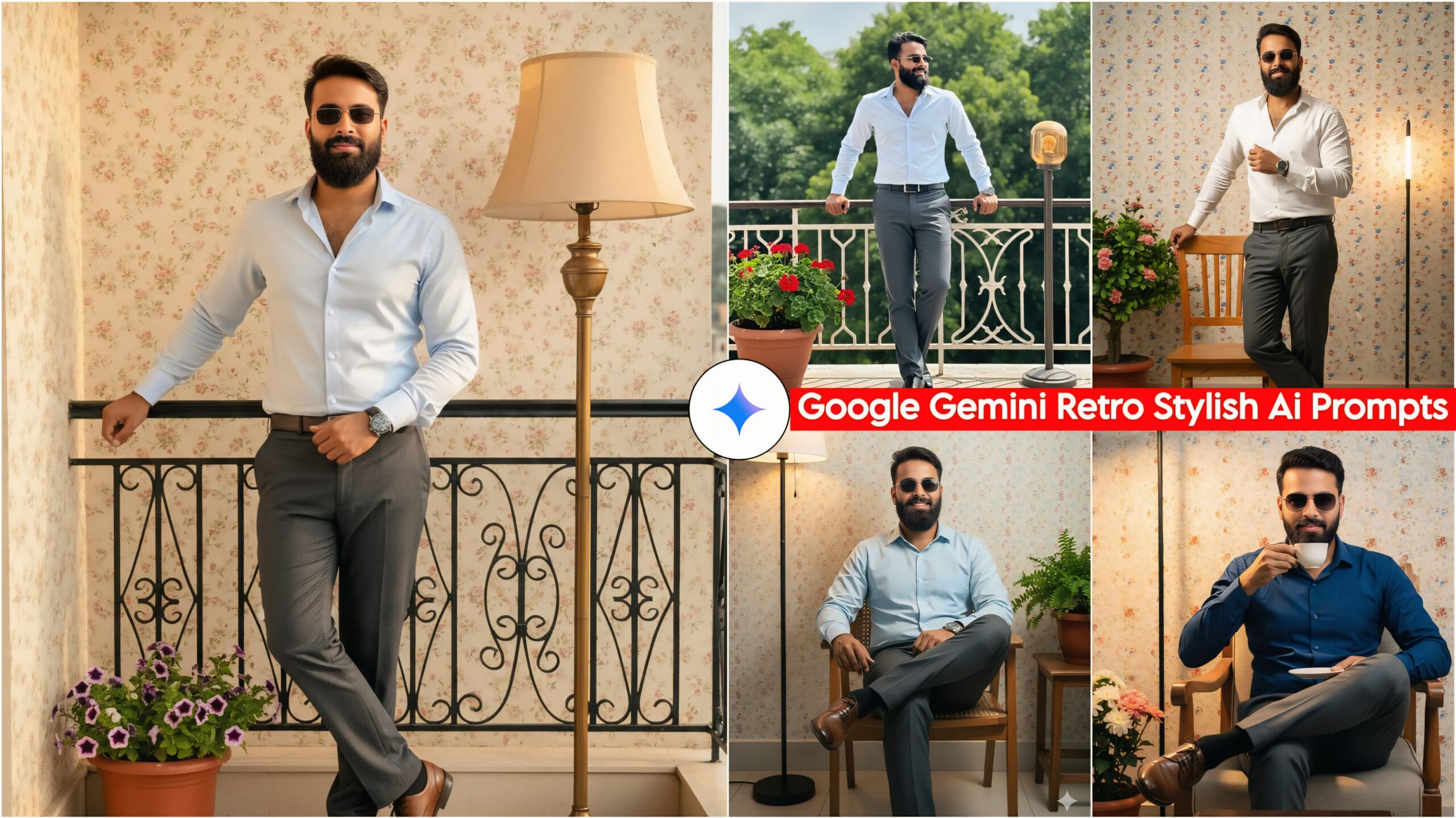
Google Gemini Retro Stylish AI Photo Editing Prompts: In today’s article, we’re sharing a new prompt that’s fantastic and unique! Friends, you’re going to love this prompt, especially since it’s designed primarily for boys. Anyone can easily use it, and if you do, your photos will get a great look. Do you also want your photos to have a great outfit and lighting, along with different poses? You can use whichever pose you like!
These days, everyone can easily create their own photos using Google Gemini. Google Gemini is available on everyone’s phone. In this blog, I have given you all the tips and tricks that you can use to create your photos.
About Google Gemini Retro Stylish AI photo editing prompts
In this, you will find Boys’ Retro Stylish cinematic prompts, which you will see in different poses and locations. Regarding the lighting, you will find cinematic lighting and the best formal outfits, including free-size pants and shirts, and a nice colorful wall, small flowers, and lights in the background. You can easily copy any prompt you like and paste it into Google Gemini along with your photo, and your photo will be ready.
Important:
Sometimes the prompts don’t work, but you don’t need to worry. Just open a new page, go to Google Gemini, and upload your photo again. It will be created again on the new page.
Google Gemini Retro Stylish Ai photo editing Prompts

"Hyper-realistic photo of a young man with a gentle smile and direct gaze, wearing a fitted formal shirt, pants, shoes, sunglasses, and a watch. He is standing retro-style on a balcony, leaning against the railing. Behind him, numerous slightly blurred trees. A flower pot and side standing lamp are visible. Cinematic background lighting, sharp focus on face, HD quality, 100% face match." Don't change faces
“Hyper-realistic photo of a young man with a gentle smile and direct gaze, wearing a fitted formal shirt, pants, shoes, sunglasses, and a watch. He is standing retro-style on a balcony, leaning against the railing. The balcony wall behind him has small colorful floral wallpaper. A flower pot and side standing lamp are visible. Cinematic background lighting, sharp focus on face, HD quality, 100% face match.” Don’t change faces
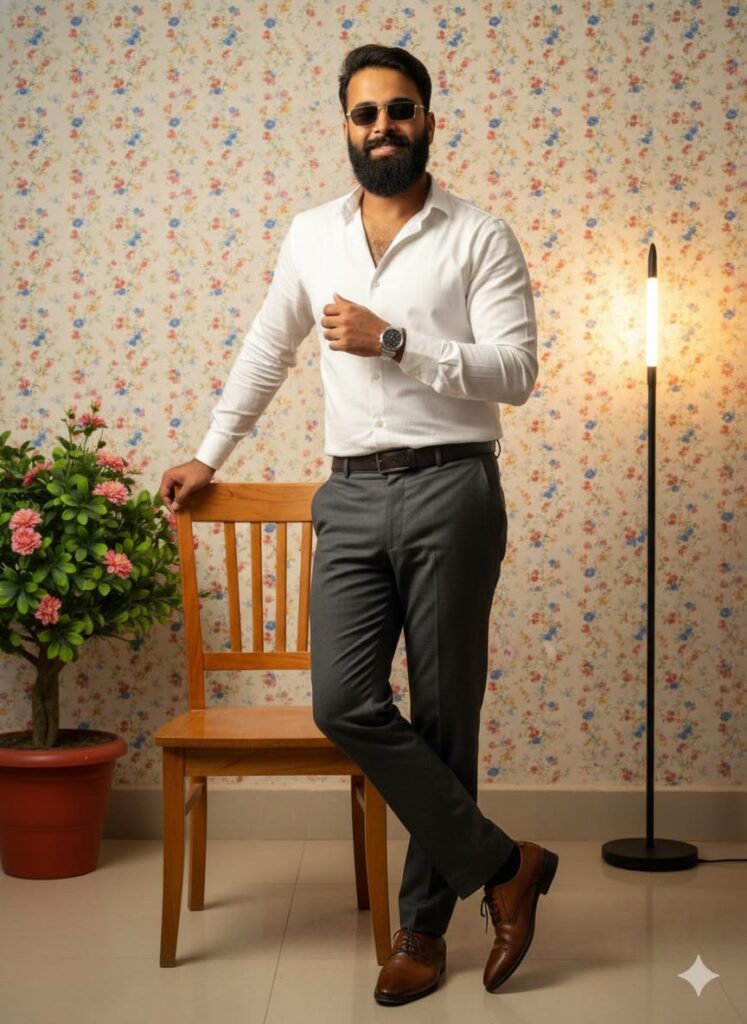
“Hyper-realistic photo of a young man with a gentle smile and direct gaze, wearing a fitted formal shirt, pants, shoes, sunglasses, and a watch. He is standing retro-style, casually leaning against a bright wooden chair. Background wall has small colorful floral wallpaper. A flower pot and side standing lamp are visible. Cinematic background lighting, sharp focus on face, HD quality, 100% face match.” Don’t change faces
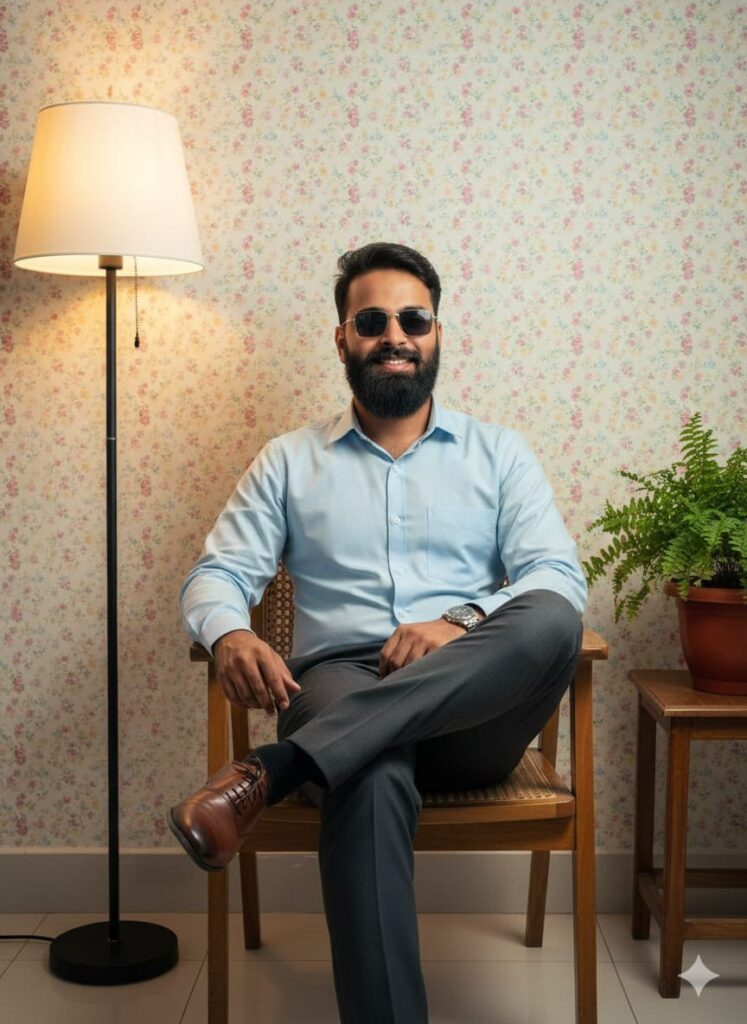
“Hyper-realistic photo of a young man with a gentle smile and direct gaze, wearing a fitted formal shirt, pants, shoes, sunglasses, and a watch. He is sitting retro-style on a bright wooden chair, cross-legged. Background wall has small colorful floral wallpaper. A flower pot and side standing lamp are visible. Cinematic background lighting, sharp focus on face, HD quality, 100% face match.” Don’t change faces

"Hyper-realistic photograph of a young man with a slight smile and direct eye contact, wearing a fitted formal shirt, pants, shoes, sunglasses, and a watch. He is sitting retro-style on a bright wooden chair with one leg crossed, sipping tea. In the foreground is a table, and beside him a flower pot and a side lamp. Background features a wall with colorful, small floral wallpaper. Cinematic lighting, sharp focus on face, HD quality, 100% face match, detailed and clear face." Don't change facesHow to Use Google Gemini Retro Stylish Ai photo editing Prompts
I’ll explain how to use it so you don’t have any trouble. First, you need to download Google Gemini. Google Gemini is now available on almost everyone’s mobile phone. Then, simply browse through the photos on my website and choose one you like. Below that photo, you’ll find the best Google Gemini Retro Stylish AI photo editing prompts.
You need to copy it, then paste the Google Gemini Retro Stylish AI photo editing prompt that you copied earlier, and then post it. It’s very easy. Then you’ll have to wait for 1 to 2 minutes. Your photo will be generated. If you want to make it even clearer, you can use Remini.
Conclusion
Friends, in this post, I have given you Google Gemini Retro Stylish AI photo editing prompts and explained how to use them. So please use them, and if you liked it, you can leave a nice comment. I have explained every step, and if you didn’t understand anything, please let me know, and I will explain it to you.