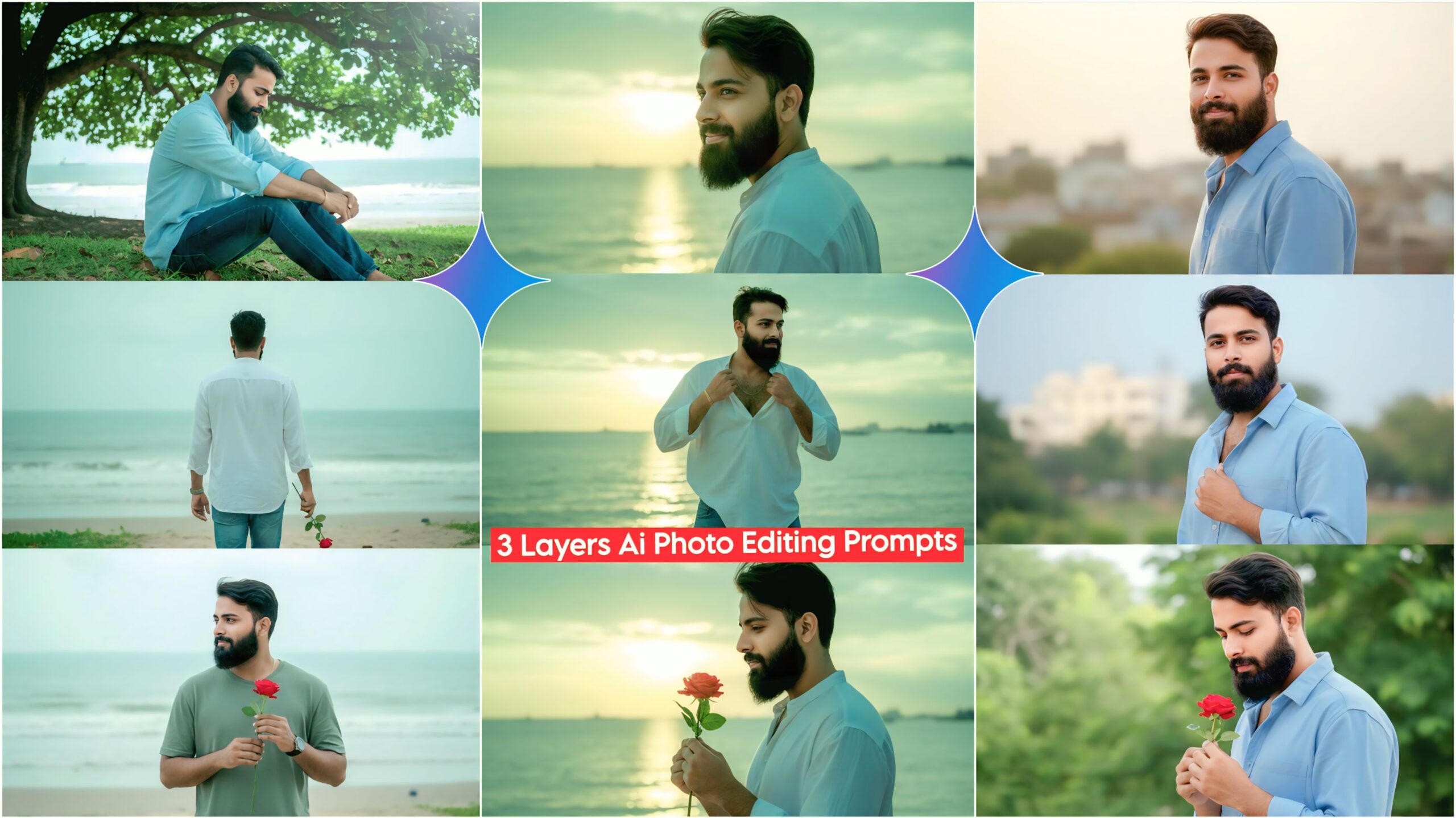
Google Gemini 3 Layers AI Photo Editing Prompts: Friends, in today’s article, I’ve brought you some amazing AI prompts that you can use with just one click. These prompts are currently going viral on Instagram and Facebook, so we’ve created them for you to use. Simply copy these prompts into Google Gemini and paste them with your photo. In just a short time, you can transform your photo. You can see the prompts below; just copy the one you like.
These days, everyone is using AI. Ever since AI came along, people’s lives have become much easier. People can use it for everything from studying to editing. There are many AI apps and websites available, but most people are currently using Google Gemini. So now you can also create these 3-layer AI prompts, which you won’t find anywhere else. Be sure to use them, and you can even upload a photo of your face and create a very similar image. It’s very easy!
Understand Google Gemini 3 Layers AI Photo Editing Prompts.
Friends, this provides a total of 5 prompts, which show different poses and different locations. For example, there’s a boy in a side pose at the very top, and then five different poses in the middle and also at the bottom. You’ll even find one with a rose. Friends, let me tell you, if you like it, please leave a short comment.
Google Gemini 3 Layers Ai Photo Editing Prompts 2026
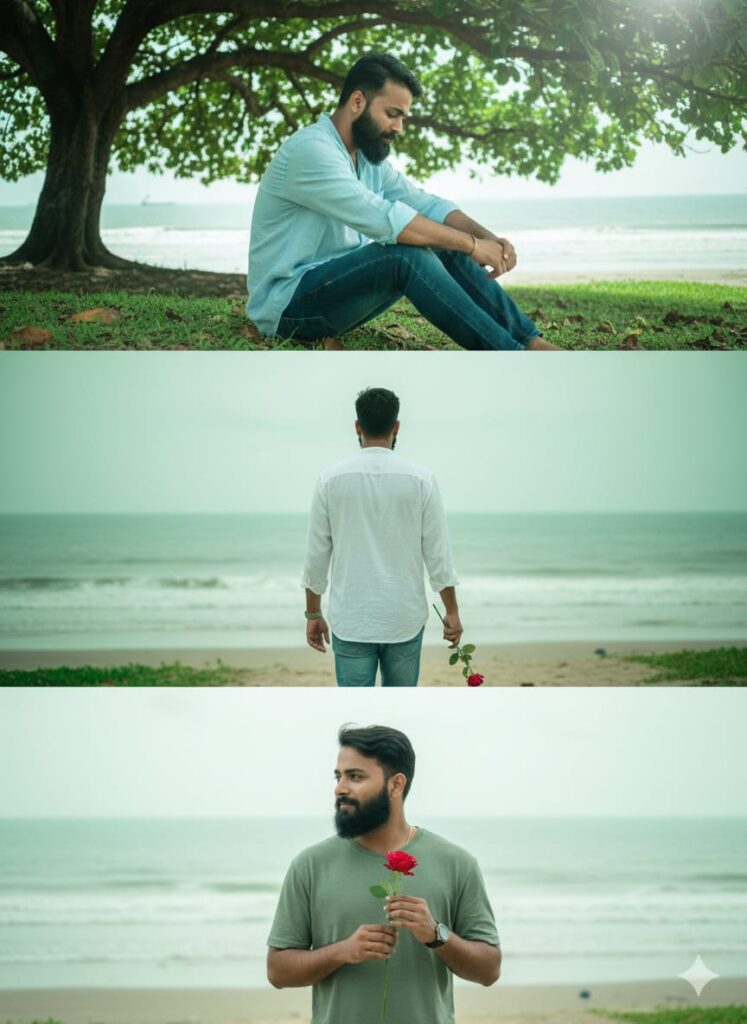
"A stunning, photorealistic, and hyper-detailed triptych (3-layered) image of a young man with a clear, HD face and natural green lighting. The overall scene has a soft bokeh on the background and cinematic light effects. The central figure is a young man wearing casual attire (jeans and a free-size shirt) with a gentle smile looking directly forward.
Layer 1 (Top): The young man is sitting under a tree, head bowed.
Layer 2 (Middle): The young man is walking away (back view) holding a single rose.
Layer 3 (Bottom): The young man is in a side profile, holding a single rose in his hands.
**The background behind the subject is a slightly blurred seashore. Clear facial details, natural texture, 8K, highly detailed." Don't change faces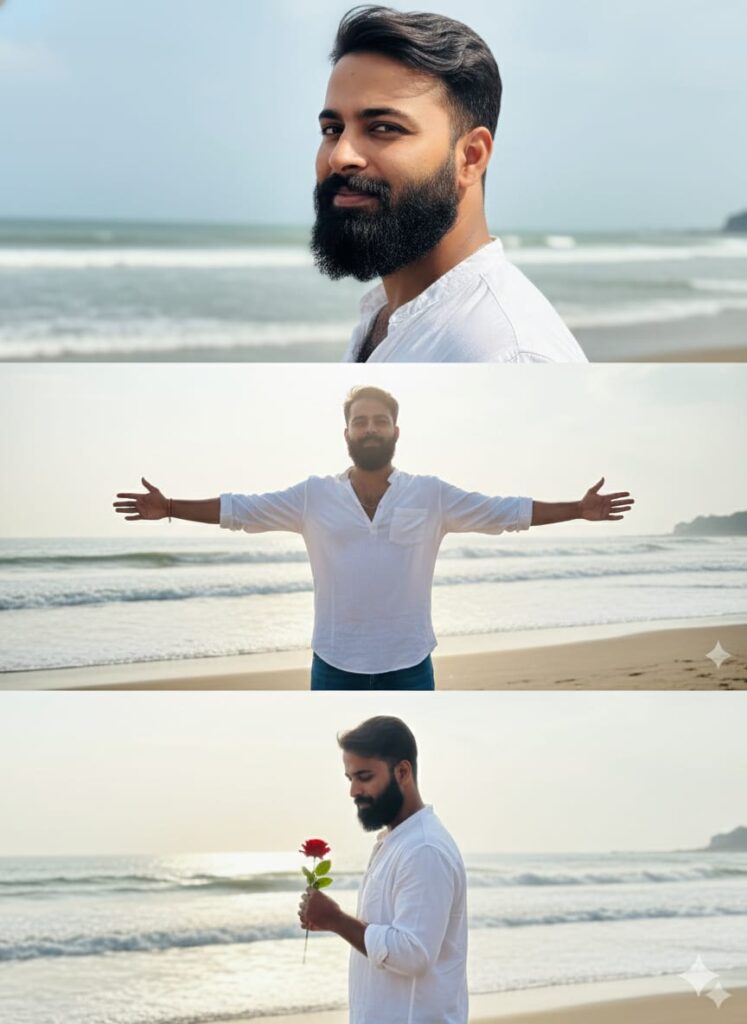
"A hyper-realistic, high-definition photograph, split into three distinct layers. The subject is a handsome young man with uniquely realistic facial features, wearing a loose-fitting casual shirt and jeans. The background is a naturally lit, slightly blurred beachside/seashore with soft cinematic light effects and subtle natural green hues. Layer 1 (Top): Young man with a slight smile, looking at the camera, in a side profile pose. Layer 2 (Middle): The young man standing, spreading both his arms wide in a heroic, open pose. Layer 3 (Bottom): The young man in a side pose, holding a single red rose. Full body, natural daylight, clear sharp focus on the face." Don't change faces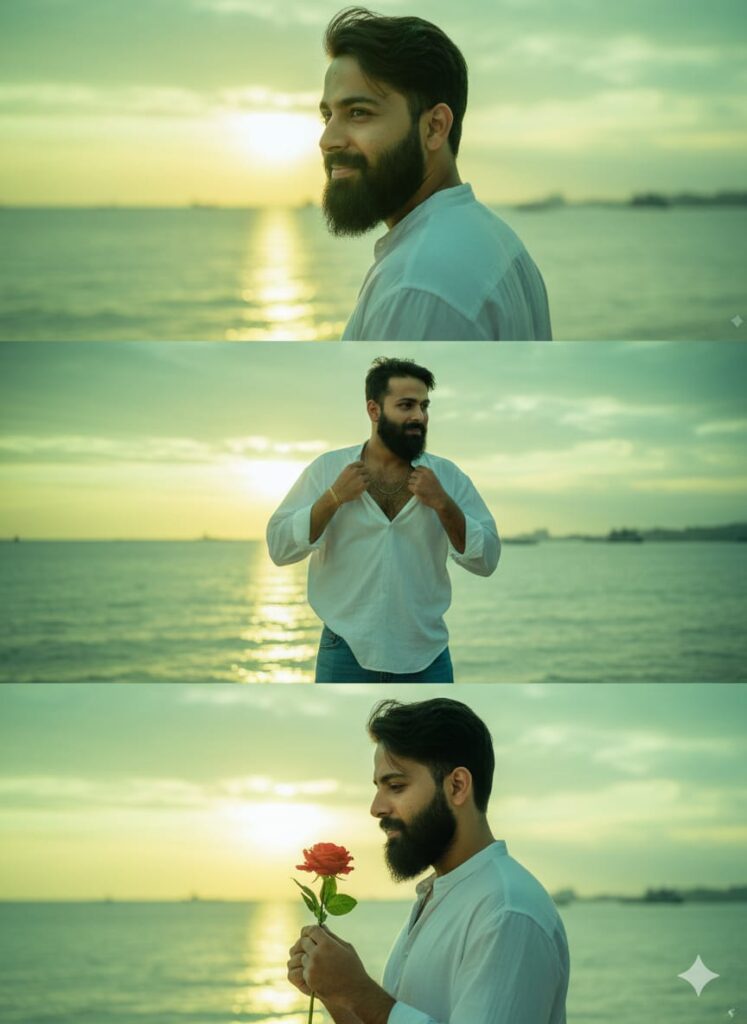
A hyper-realistic, high-definition (HD) quality triptych image, divided into three horizontal layers, featuring the same young man. The entire image should have a natural, bright *green lighting* effect, with a focus on a clear, detailed face. The background in all layers is a *blurry seascape at sunset, featuring a soft **yellow light effect* on the horizon. The young man has a casual style, wearing *jeans and an oversized/free-size shirt*.

*Layer 1 (Top Layer):*
A cinematic, side-profile portrait of the young man, looking slightly towards the camera with a gentle, soft smile.

*Layer 2 (Middle Layer):*
The young man posing dramatically, holding the collar of his shirt like a hero (hero-style pose).

*Layer 3 (Bottom Layer):*
A side-profile shot of the young man, holding a *single red rose* (gulab ka phool) in his hands.

Optional additions for enhanced realism: *Photorealistic, 8K, extremely detailed, natural light, bokeh, volumetric lighting.* Don't change faces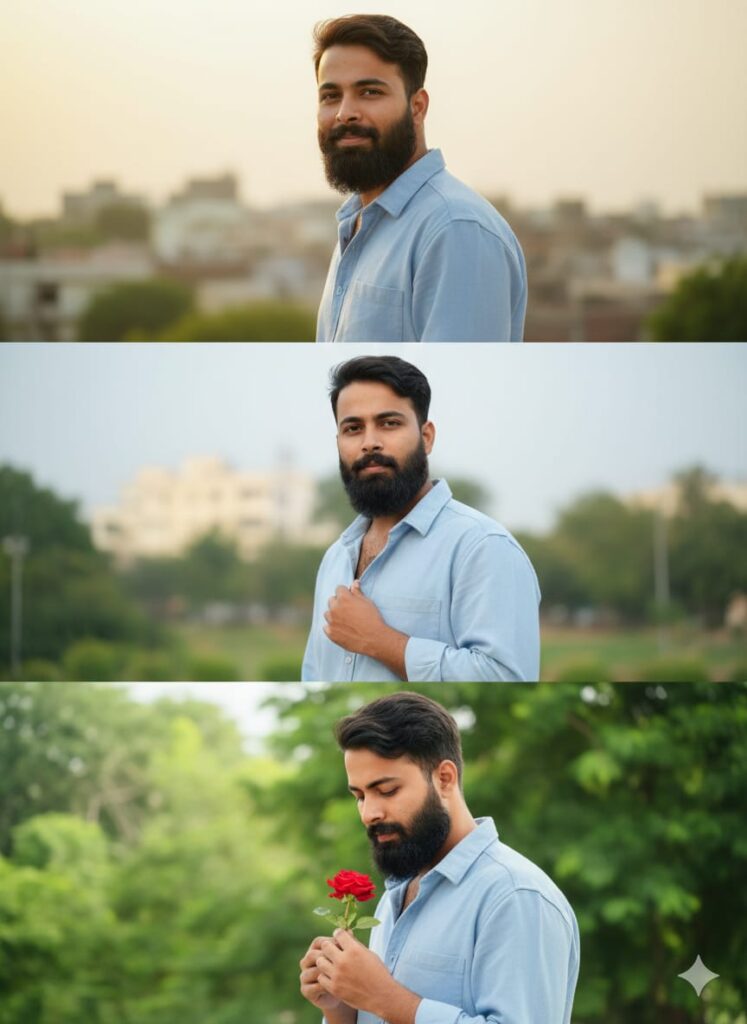
Create a hyper-realistic, high-definition (HD) quality image of a young man with a clear, naturally lit face, presented in a three-layered vertical collage or triptych.
Layer 1 (Top Layer):
Subject: A handsome young man with a very slight, natural smile, looking directly at the viewer, but with his body in a side pose (profile/three-quarter view).
Attire: Wearing a casual outfit consisting of jeans and an oversized/free-size shirt.
Lighting/Color: Natural lighting, with a subtle yellow light effect (e.g., golden hour glow) integrated into the background.
Layer 2 (Middle Layer):
Subject: The same young man, adopting a 'heroic' pose, gently gripping the collar of his shirt with one hand.
Attire: Same casual attire (jeans and oversized shirt).
Layer 3 (Bottom Layer):
Subject: The same young man, in a side pose (profile/three-quarter view), holding a single red rose (gulab) in his hands. Don't change faces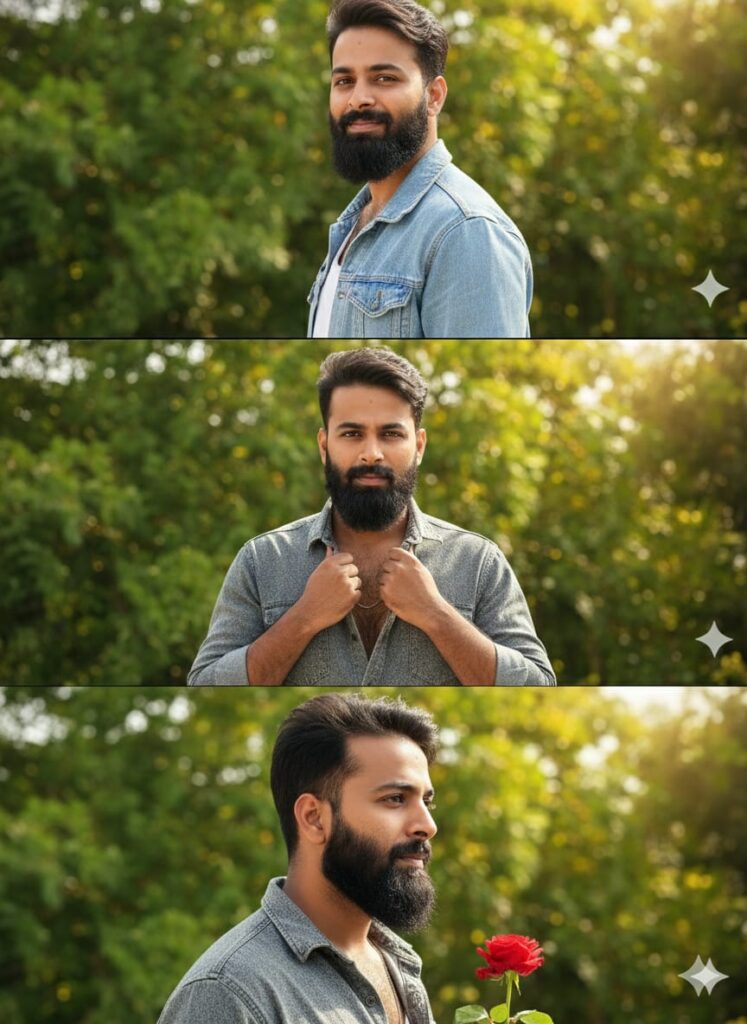
"A hyper-realistic, 3-layered vertical collage/triptych of a handsome young man, natural lighting, clear HD quality. Layer 1 (Top): Young man with a slight smile, side pose, looking at the camera, wearing casual jeans and a free-size shirt. Layer 2 (Middle): Young man in a 'heroic' pose, gripping his shirt collar. Layer 3 (Bottom): Young man in a side pose, holding a single red rose. Background: Lush green trees, highly blurred (bokeh), with a subtle golden/yellow light effect. Photorealistic, cinematic." Don't change facesNote –
Sometimes the AI prompts might not work, but don’t worry. Just open a new page and paste the same prompts along with your photo again. It will definitely work the second time on the new page.
How to Use Google Gemini 3 Layers AI Photo Editing Prompts
Let me tell you how to use it so you don’t have to face any difficulties. First, you need to download Google Gemini. Now, Google Gemini is available on almost everyone’s mobile phone. So, you can find any AI photo on my website that you like, and below it, you will find the best Google Gemini 3 Layers AI Photo Editing Prompts. Copy it, then paste the copied AI Photo Editing Prompts into your Google Gemini and post it. It’s very easy. Then you will have to wait for 1 to 2 minutes. Your photo will be created. If you want to make it even clearer, you can use Remini.
Conclusion
Friends, in this article, I have provided you with Google Gemini 3 Layers AI Photo Editing Prompts and explained how to use them. So please use them, and if you liked it, you can let me know by leaving a nice comment. I have explained every step in detail, and if you didn’t understand anything, please let me know, and I will explain it to you.
Google gemini link click and use